8 • Important: Always read and follow the instructions.
875 - Entering Wheel Dimensions
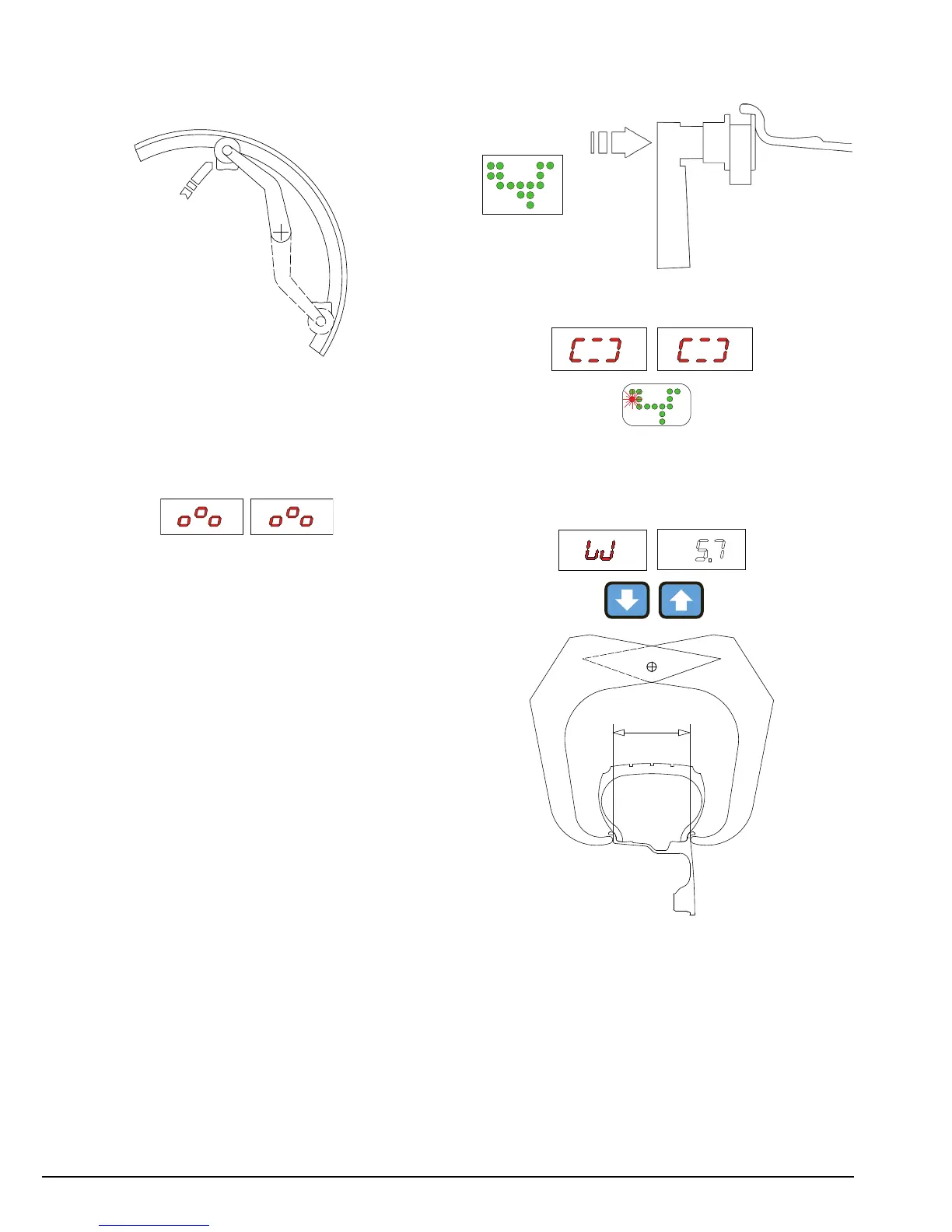
For clip-on weights, use gauge in the top position A.
For adhesive weights, use the gauge as preferred in
top position A or bottom position B.
Note: Always use the round part of the striker plate
resting on the rim.
875 - Indication of gauge in movement
875 - Automatic Dimension Presetting
The machine automatically detects the correct bal-
ancing program for steel and aluminum rims.
The counterweight position proposed may be
changed using the 10/10a buttons.
875 -Sprung Counterweights c1-c2/STATIC/t1-
t3/c1-t3
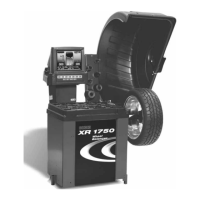
Pull out the gauge as far as the inner edge of the rim.
Hold it in this position until a “beep” is heard.
Indication of dimensions acquired
Return the gauge to rest position. The machine has
automatically detected DISTANCE + DIAMETER and
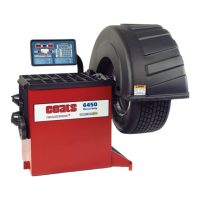
goes to MANUAL WIDTH SETTING.
The nominal width is normally stamped on the rim; if
not, proceed to measure dimension “W” with the cal-
iber gauge (supplied as standard).
Note: Once the dimensions have been set, you can in
any case change the correction method by pressing
the 10/10a buttons (see CORRECTION MODE).


 To Next Page