Important: Always read and follow the instructions. • 15
875 - Manual Dimension
Presetting (Use only in particular
cases or for test)
875- c1-c2/STATIC/t1-t3/c1-t3 Wheel Rims (use for
setting dimensions in AUTO CALIBRATION)
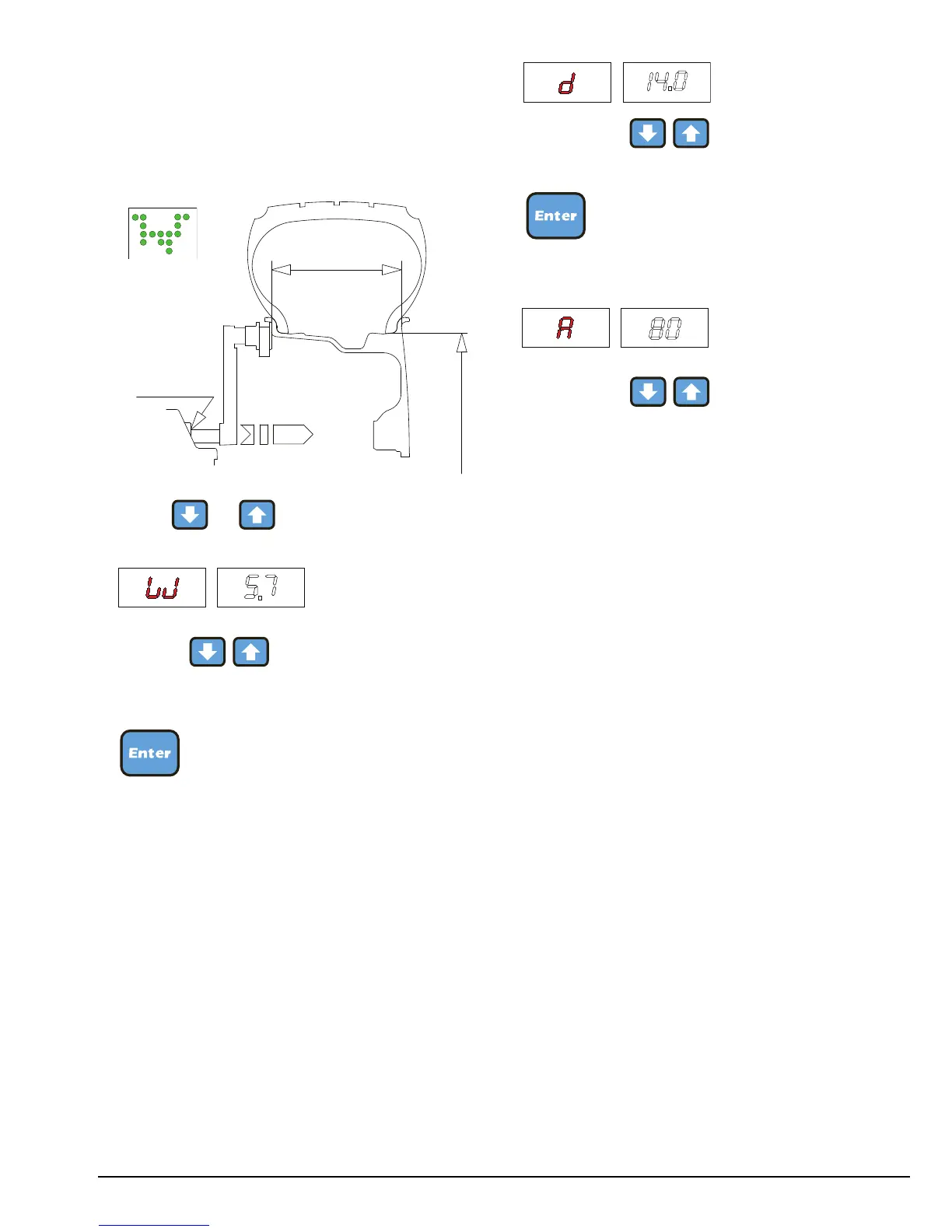
- Setting:
Press or
Set with the rated width that, in general,
is shown on the rim, or measure width “W” with the
caliper gauge supplied.
- Press the button for more than 2 seconds
- Preset using the nominal diameter “D”
indicated on the tire
- Press the button for more than 2 seconds
- Preset using distance “A” for the inside
of the wheel from the machine (measure from the first
notch (1) to the reading point).
Note: This setting is also valid for the correction
modes STATIC/t1-t3/c1-t3.


 To Next Page