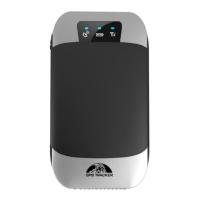
7.2. GSM/GPS LED Indicator
one time per second (fast)
GSM signal normal and work under GSM mode
one time per 3 seconds (slow)
Flash three times alternately
7.3. Initialization
Send SMS “begin+password” to the unit, it will reply “begin OK” and initialize all the settings to default factory
settings.(default password: 123456)
For example: Send SMS “begin123456”, it will reply “begin ok”. (No quotation marks “”when sending all the
SMS)
7.4. Change Password
7.4.1. Send SMS “ password+old password+space+new password” to the unit to change the password.
For example: send SMS “password123456 888888” to the unit. If succeeded, “Password ok” will reply to your
cell phone.
7.4.2. Keep the new password in mind, the machine will not work properly if lost the password.
7.4.3. Note: The new password must be 6 digits of the Arabic numerals, or the device will not recognize.
7.4.4.When reading this user manual, you will notice that we have used "+" and "space" between some words;
"+" between two words means they should be written together as one word and "space" between two words
means you should leave one character space between two words.
7.5. Authorization
7.5.1 You have to save your phone number as authorized user to be able to use certain functions as movement alerts,
sos alerts and reports. You can authorize up to 5 numbers. Authorization can be done in two different ways
7.5.2. Call and track the tracker device for 10 times from your cell phone in success and it will register your mobile
phone number as the authorized number automatically. And reply “add master ok”
7.5.3. Send SMS “admin+password+space+cell phone number” to set up an authorized number. All the other
authorized numbers must be set by the first authorized number. “admin OK” will be returned after command was
executed.
7.5.4. Delete authorization: Send SMS“ noadmin+password+space+authorized number” to delete the authorized
number.


 To Next Page