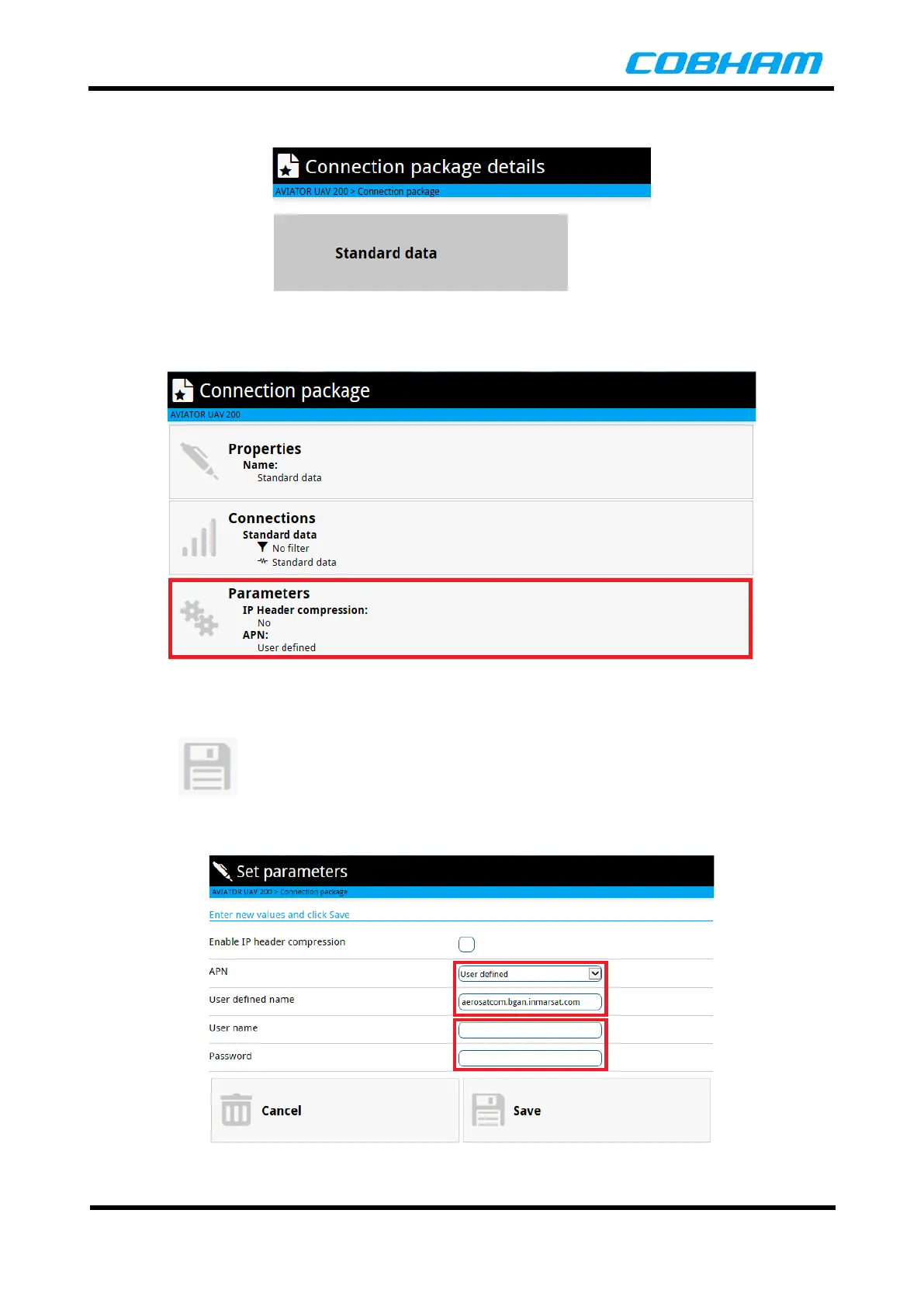
The Connection Filter can be displayed by selecting the Connections button.
Figure 8-14: Display Connection Filter
Click on the Parameters button to edit the connection Parameters.
Figure 8-15: Connection Package Parameters
The APN details for the connection can be set using the Set Parameters page as shown below. Once the
APN details have been entered and any applicable username and password is set in the space provided, click
on the Save button to accept the changes.
Cancel reverts back to the previous settings and exits the page.
Figure 8-16: Connection Settings


 To Next Page