Chapter 5: Configuration with web interface
98-169085-B Advanced settings 92
Remote on/off mode
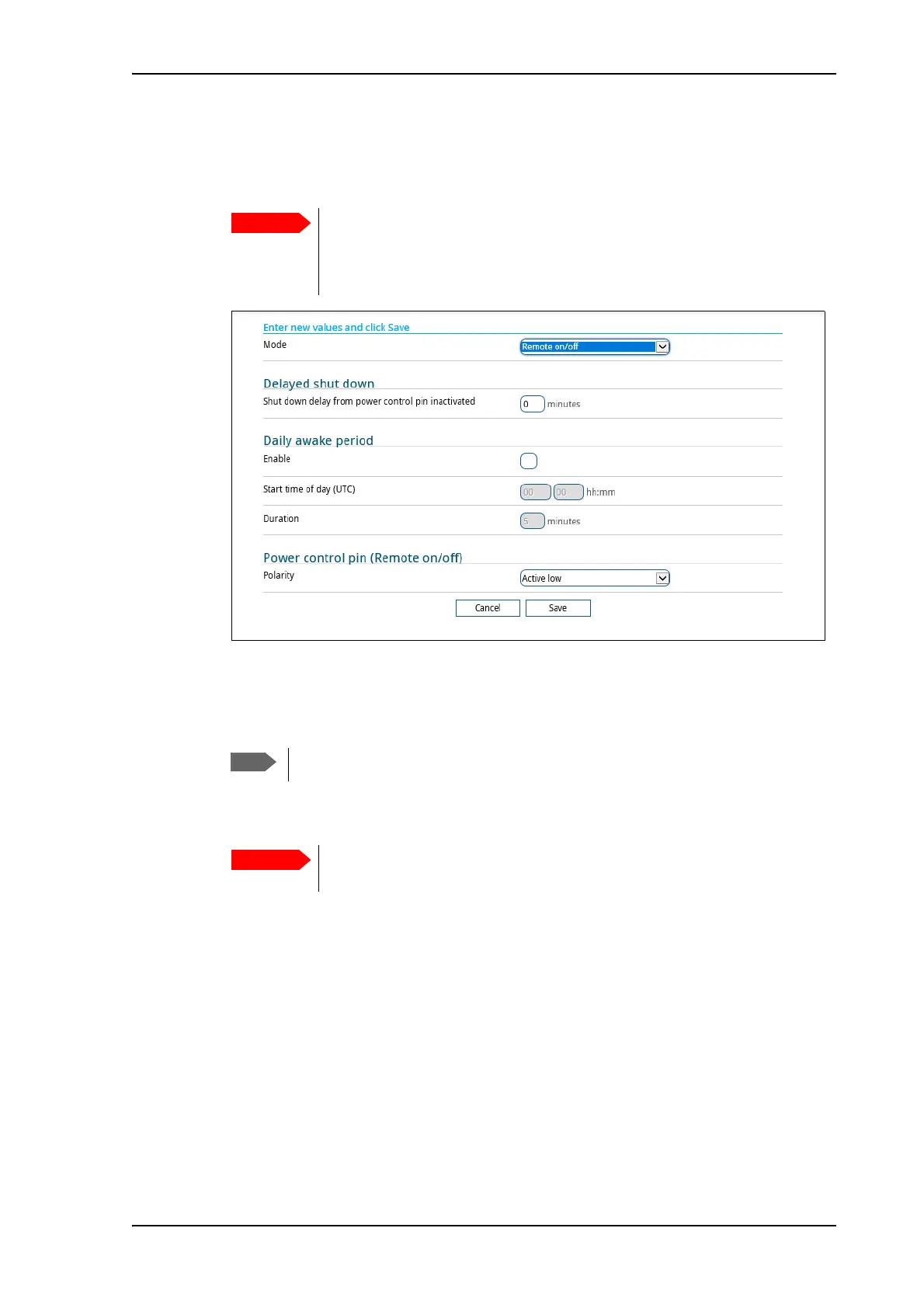
1. In the Power control page, select Remote on/off from the drop-down list.
2. At Delayed shut down, select the wanted shut-down delay after the power control pin is
deactivated.
3. At Daily awake period, select Enable and enter the start time and duration of the awake
period, if you want the terminal to have a fixed awake period every day.
4. At Power control pin (Remote on/off), select the polarity of the power control signal
(Active high/Active low).
5. Click Save.
Be aware that once you have enabled the Remote on/off function, the
EXPLORER 323 will be in power save state until you have connected the
Remote on/off wire and it is active, or one of the other conditions that can
prevent power save is present! See Power mode functions on page 34.
Local time must be converted to UTC time!
If you are connecting the power control pin to ignition, you must select
Active high, because the ignition signal in the vehicle is active high.



 To Next Page