Chapter 6: Maintenance and troubleshooting
98-169085-B Troubleshooting 105
Troubleshooting
Status signaling
Means of signaling
The EXPLORER 323 system provides various methods for signaling the status of the system.
• LED in the bottom of the EXPLORER 323 is used to signal:
• Power on/off
• Status
•Software update
• Warnings
• Errors
• Event messages with warnings or errors are shown in the web interface.
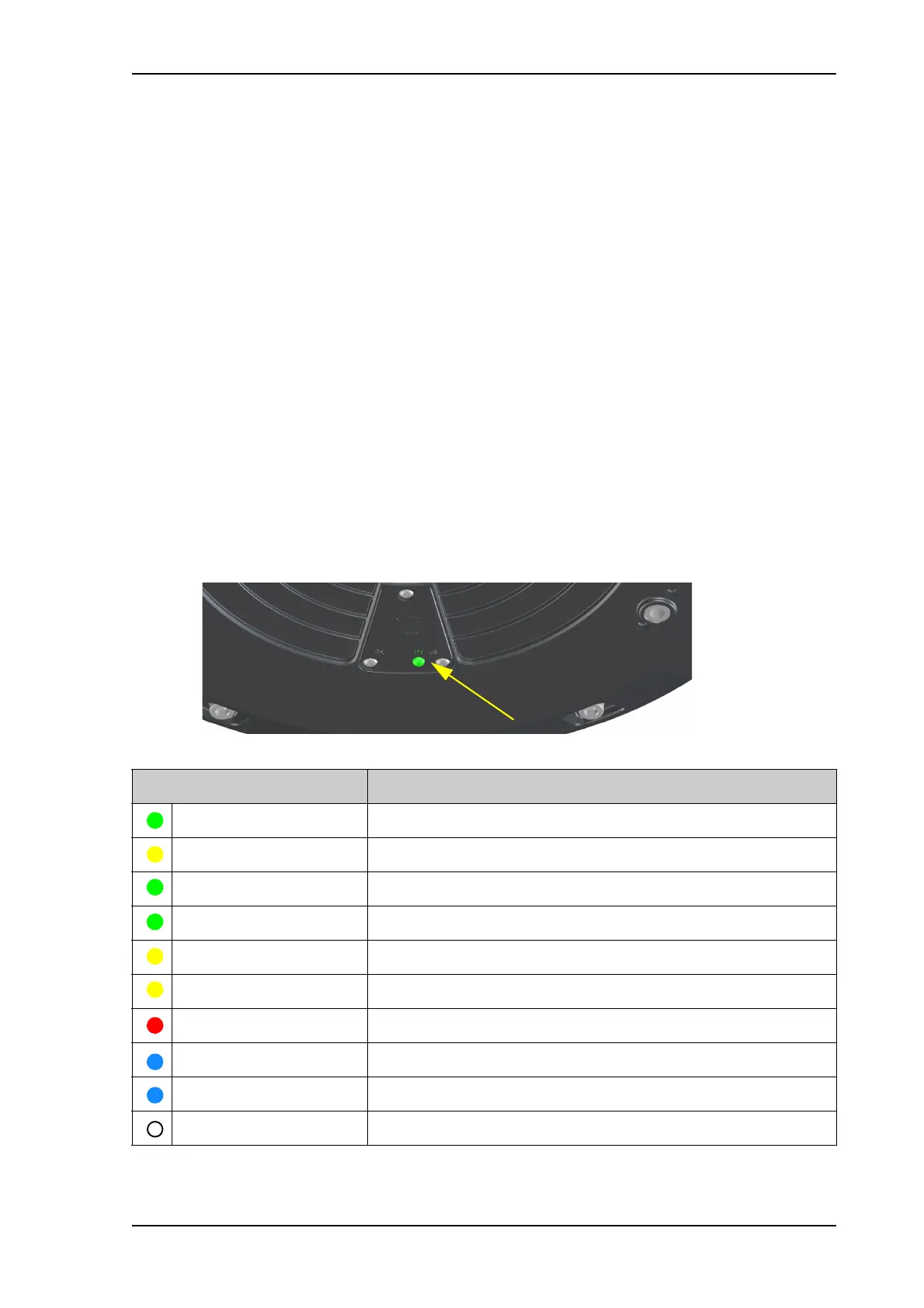
LED signaling
The LED is located in the cover for the SIM compartment in the bottom of the terminal.
The functions of the LED are:
Light pattern Meaning
Green flashing rapidly Starting up.
Yellow flashing Antenna searching for BGAN satellite signal
Green flashing Antenna tracking on BGAN satellite signal.
Green constant Ready.
Yellow flashing rapidly Closing down.
Yellow constant Warning (user recoverable). See web interface for the warning text.
Red constant Error. See the web interface.
Blue flashing Uploading software to the terminal.
Blue flashing rapidly Safe mode.
Off Power off or Power save state.



 To Next Page