Chapter 5: Configuration with web interface
98-169085-B To set up tracking and location reporting 73
To set up tracking and location reporting
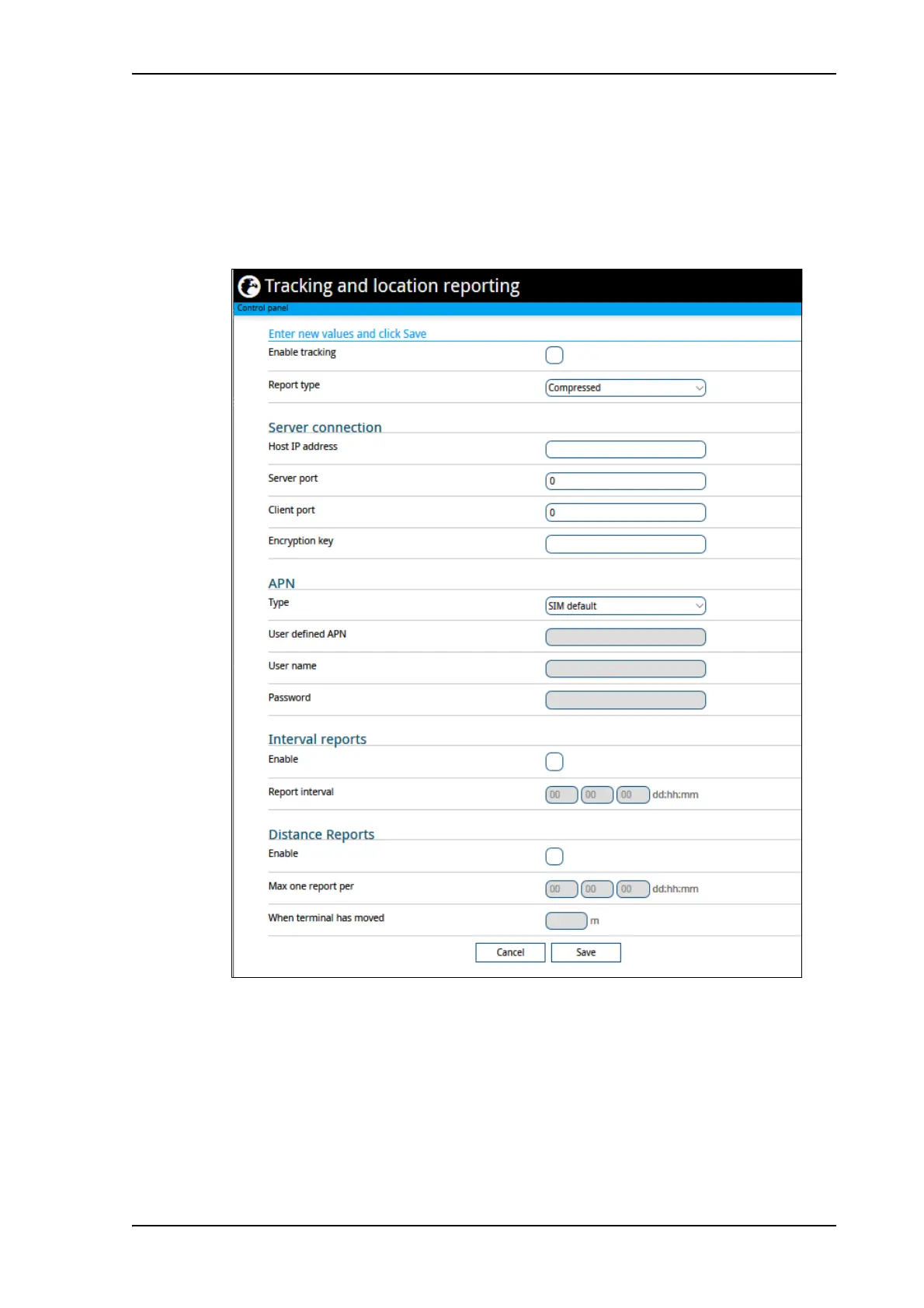
You can set up the EXPLORER 323 to report to a server at certain time intervals. To set up
tracking, do as follows:
1. From the Control panel
, select Tracking and location reporting.
2. To enable tracking of the EXPLORER 323, select Enable tracking.
3. Select the Report type.
• Compressed. Only latitude and longitude are reported.
• Extended. Apart from latitude and longitude, heading and altitude are also included.
• ECEF. The same information as Extended, but position and speed data are 3D (ECEF
coordinates).
4. Under Server connection, type in the following details:



 To Next Page