Chapter 2: To install the system
98-169085-B To insert the SIM card 5
To insert the SIM card
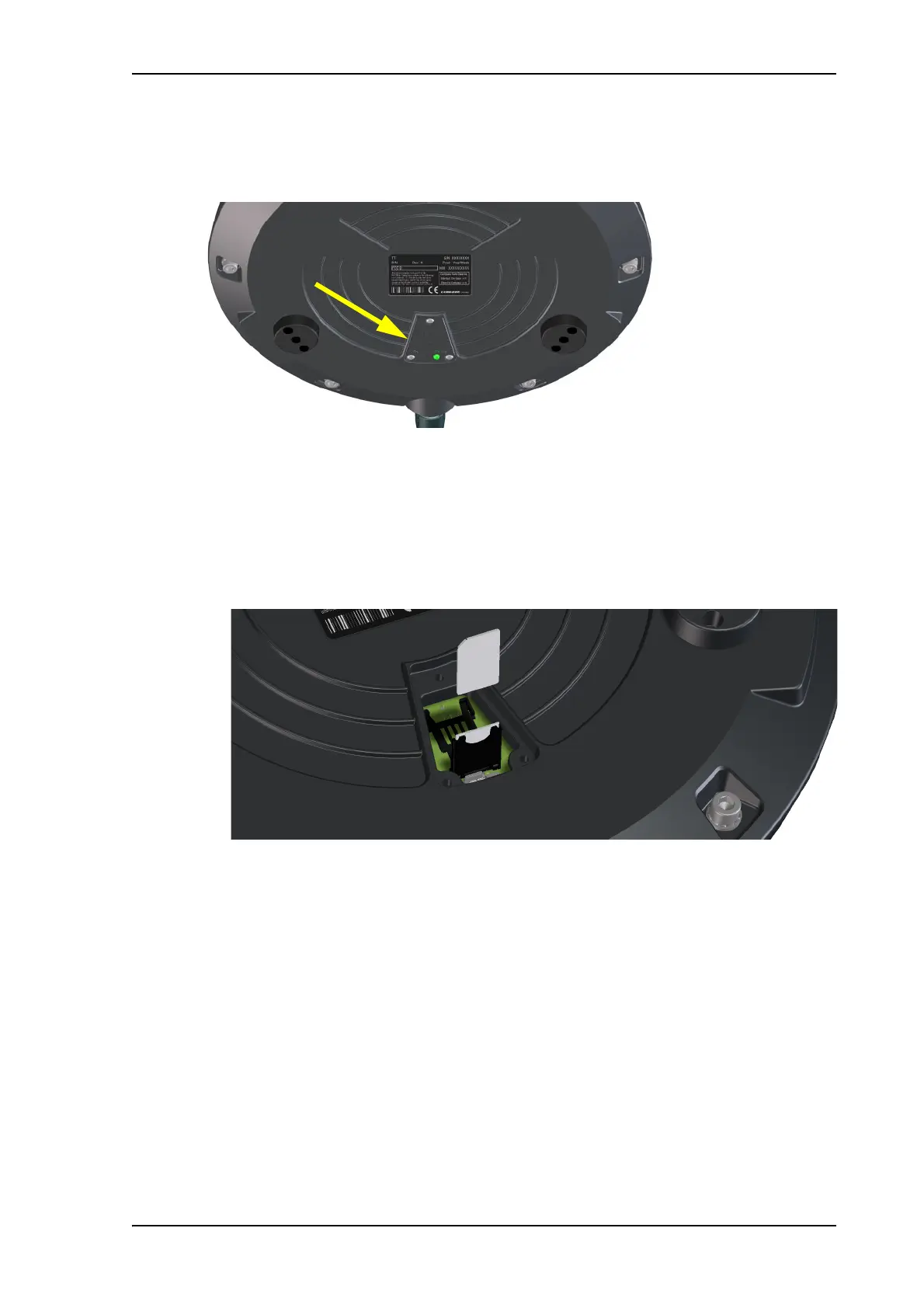
The SIM card is placed in the SIM compartment in the bottom of the terminal.
Do as follows:
1. Use the included Torx bit to unscrew the 3 screws for the SIM compartment and remove
the cover. Keep screws and cover for later.
2. Locate the SIM holder in the middle of the compartment.
3. Slide the lock to release the SIM holder.
4. Lift the end of the SIM holder and insert the SIM card as shown.
5. Lower the SIM card holder with the SIM card inserted and lock it.
6. Remount the small cover and use the included Torx bit to fasten the 3 screws.



 To Next Page