Chapter 2: To install the system
98-169085-B To connect cables 14
To connect Ethernet
Depending on your configuration, you can connect the Ethernet wires from the combined
cable to a switch, an EXPLORER Mobile Gateway or directly to a PC (using an RJ-45 connector).
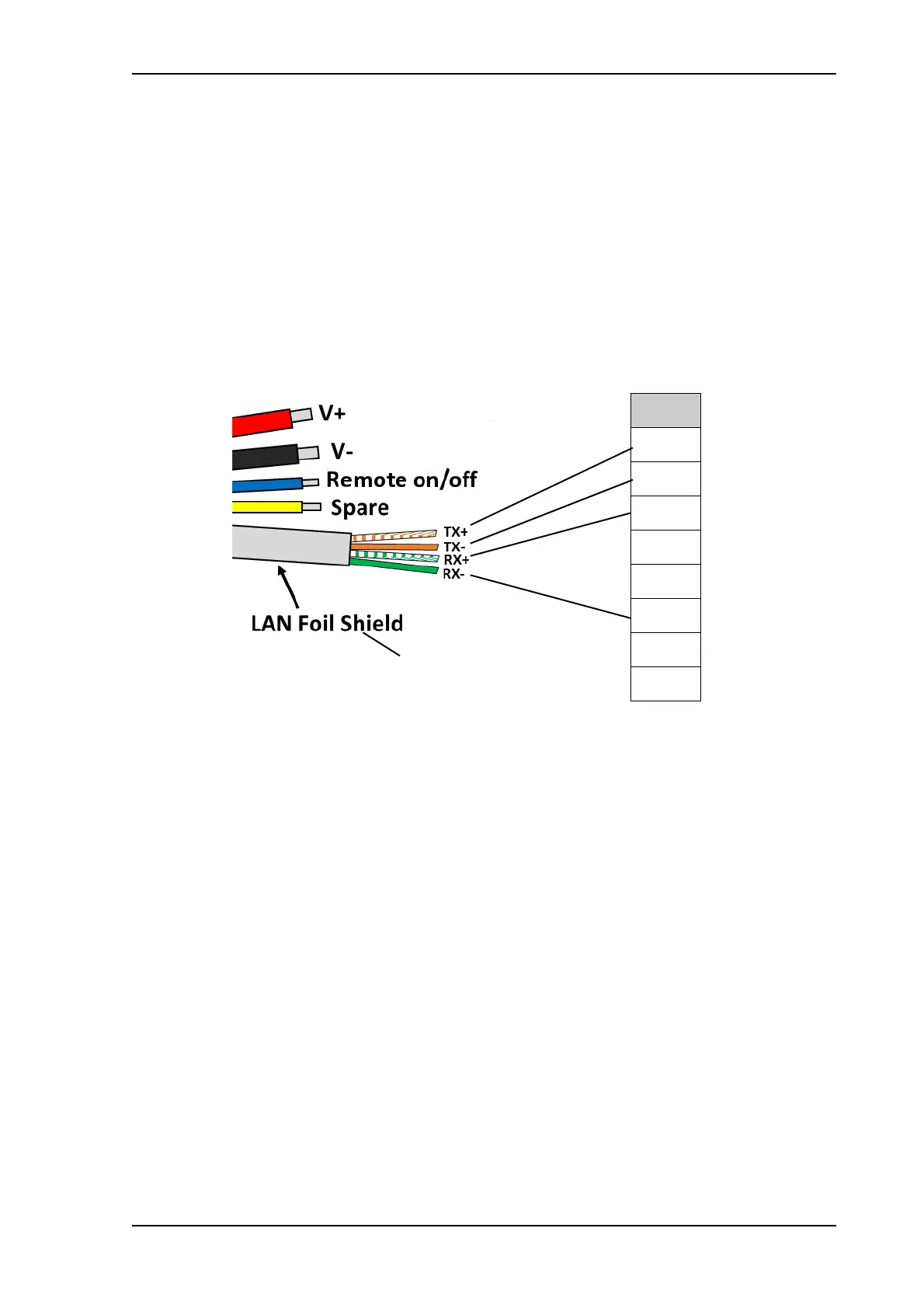
Connect the Ethernet wires as follows:
1. Connect the wires 1, 2, 3 and 4 from the EXPLORER 323 cable according to the pinout
shown in the previous section Included cable on page 11.
If you prefer to mount an RJ-45 connector, connect the wires as shown below.
2. For further details on how to connect the LAN interface, see To connect to the LAN
interface on page 18.
E323 cable, LAN part RJ-45 connector, male
Pin
1
2
3
4
5
6
7
8
Connect the LAN foil shield to
the RJ-45 connector shield



 To Next Page