Chapter 5: Configuration with web interface
98-169085-B To manage connected devices (Traffic control) 71
Traffic control (administrator)
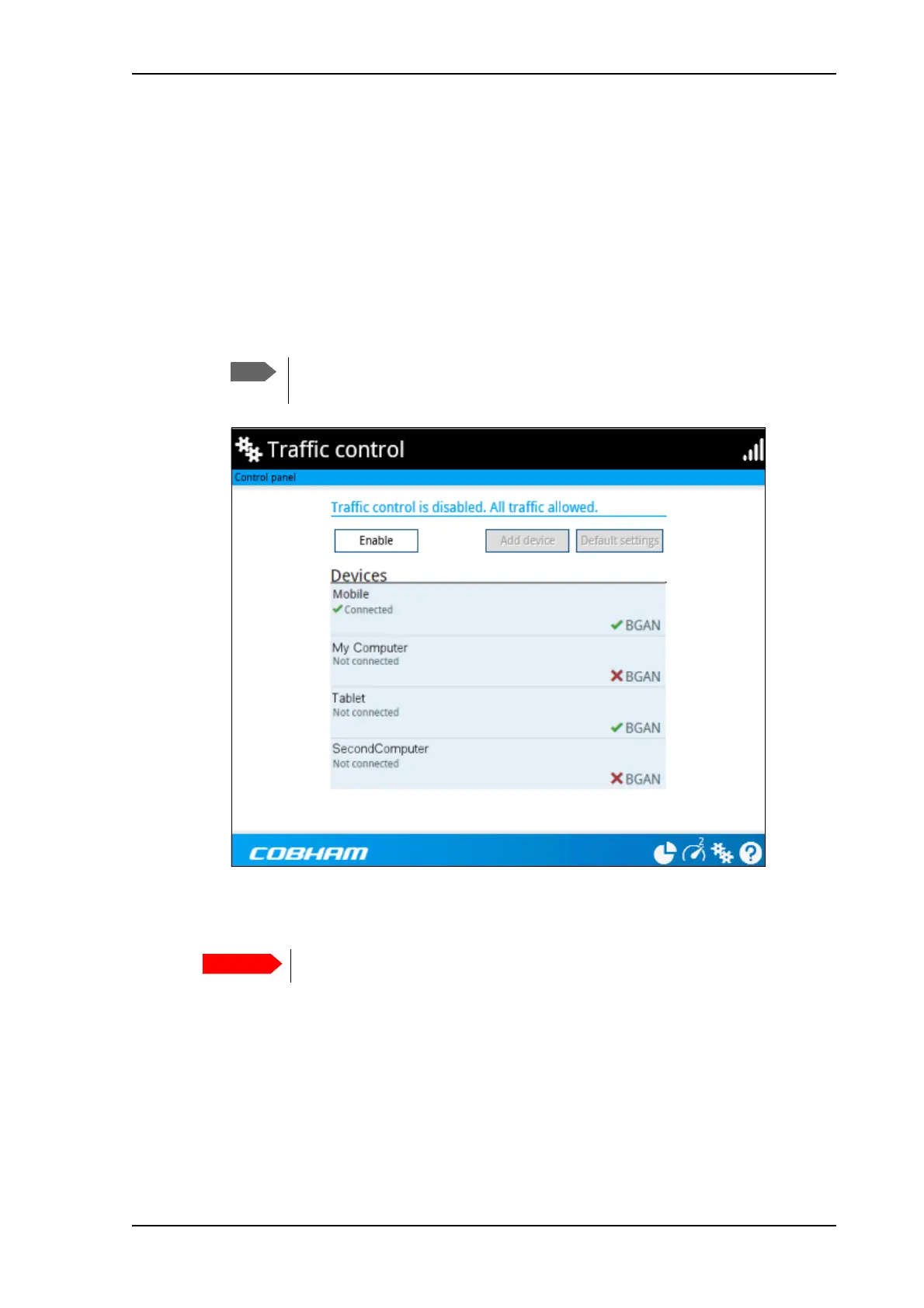
When you are logged in as administrator, the Traffic control setup offers more options. To set
up traffic control as administrator, do as follows:
1. Log in as administrator.
2. In the Control panel
, click Traffic control.
A list of connected and added devices appears.
3. Click the Enable button to enable Traffic control.
By default Traffic control is disabled, which means all devices are allowed access.
To change the default settings for all devices
1. Click the button Default settings.
2. Select Block BGAN traffic if you want to deny access to BGAN network for all devices.
With this option selected, only the administrator will be able to allow access for selected or
all devices.
3. Click Save.
All devices in the list will now have the new default settings.
When you enable traffic control, BGAN is blocked by default for all new devices.
To change the default settings, see the next section.
All devices in the list are updated with the default settings when you click Save.



 To Next Page