Chapter 5: Configuration with web interface
98-169085-B Advanced settings 87
Remote management
You can set up the terminal so that it can be controlled from a remote location.
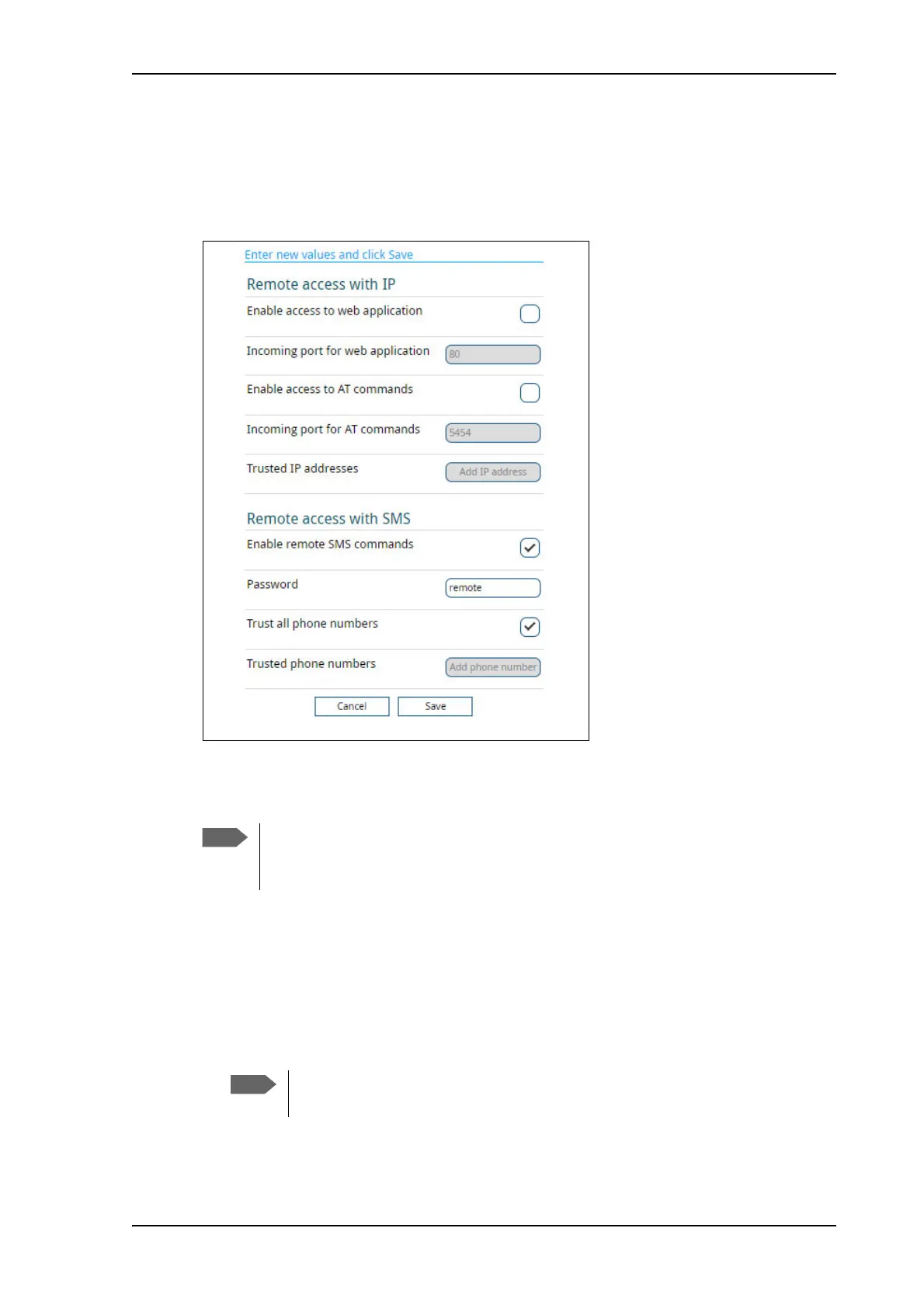
To set up the terminal for remote management, select Advanced > Remote management
from the Control panel.
To set up remote access with IP
1. From the Remote management page, select Enable access to web application and/
or Enable access to AT commands.
2. Type in the Incoming port numbers to use for the web server and for AT commands.
The default port numbers are:
•web server: 80
• AT commands: 5454
The settings for Remote access with IP are not relevant if you are using the
_IREMWEB command. See To use AT commands to get remote access to the web
interface on page 136.
If you type another port number, the port number must be available at your
service provider.



 To Next Page