Chapter 4: Configuration with web interface
98-148232-B To set up your data connection packages (BGAN M2M) 44
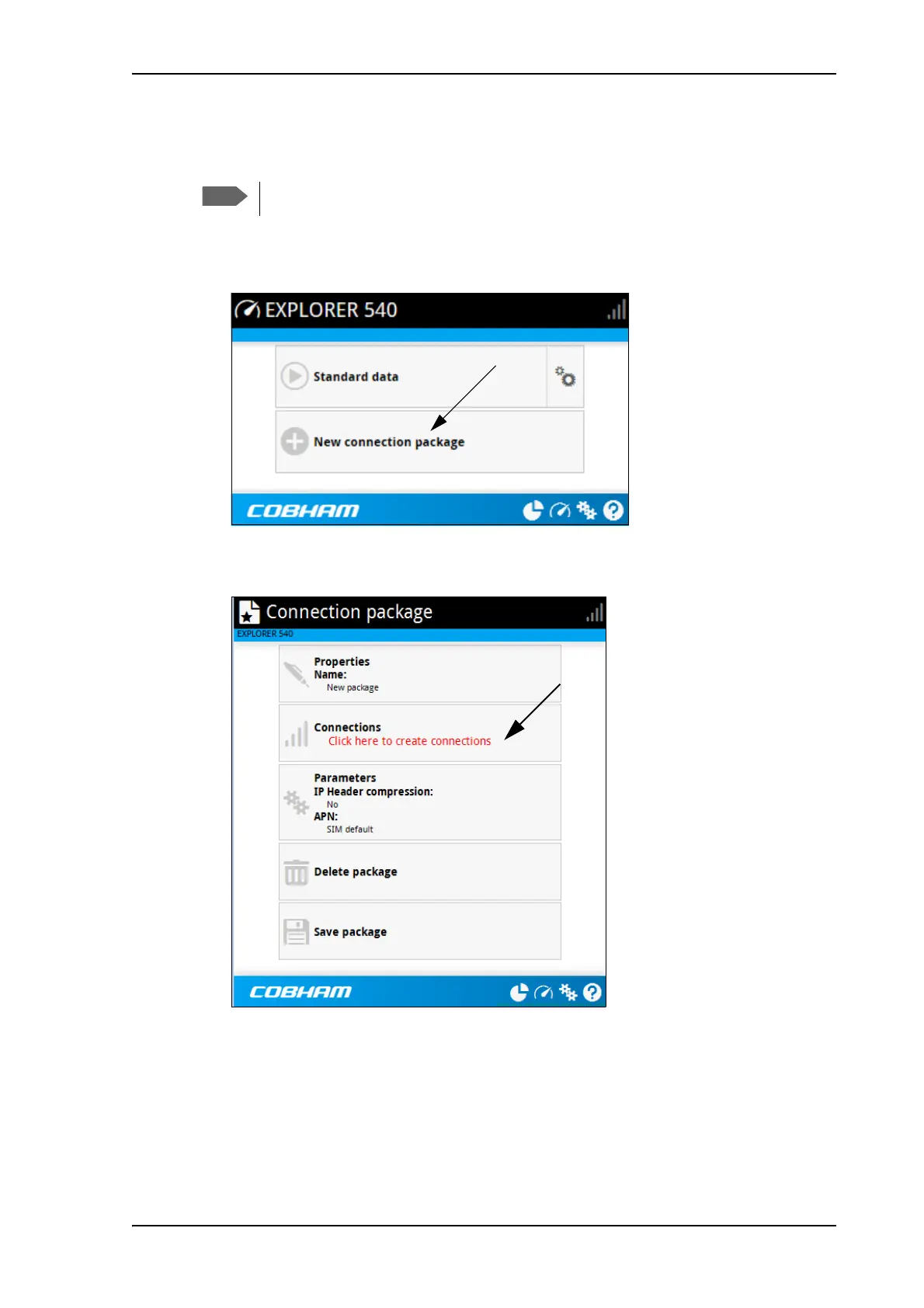
To create a new connection package
Do as follows:
1. Click New connection package.
2. Type a name for the new package and click Save.
3. Click Click here to create connections.
4. Select the connection type you want for your new connection package.
For M2M subscription, you can only select Standard.
5. Click Save package.
The new package should now appear as a new tile on the startup page. For details on
Parameters (APN and IP Header compression) see To change the APN for a connection
package on page 43.
You must be logged in as administrator to be able to create connection packages.



 To Next Page