Appendix A: Technical specifications
98-148232-B Interfaces specifications 90
Interfaces specifications
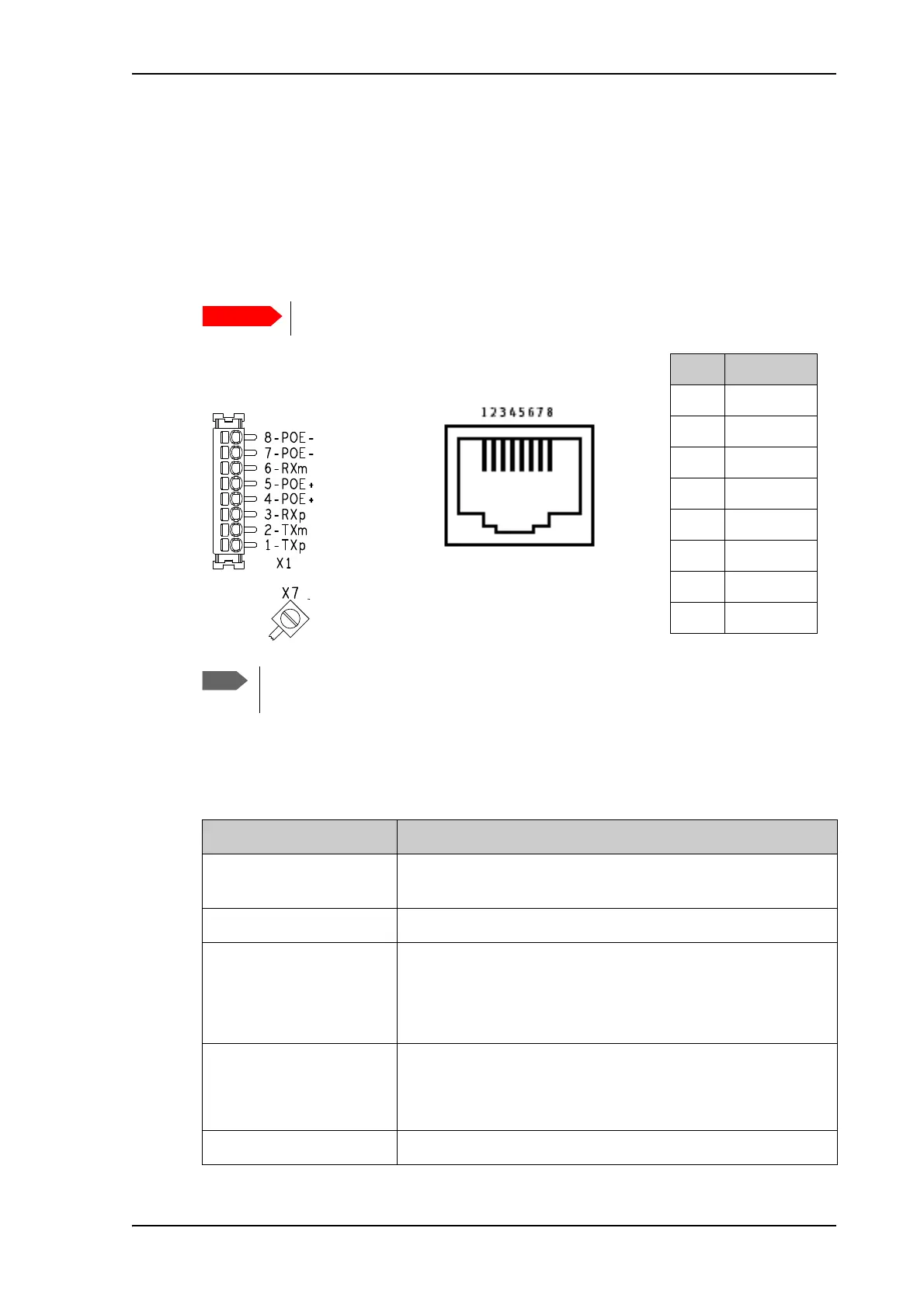
LAN interface (X1 or X2)
Connector pin-out
To insert the wires in X1 use a screwdriver (max. 2mm wide) to push each terminal open.
Specifications
There are two LAN connectors, but only one at a time can be used!
Pin Function
1TXp
2TXm
3RXp
4POE+
5POE+
6RXm
7POE-
8POE-
If you connect to the terminal block X1 you must connect the shield of the cable to
the screw terminal X7 (GND).
X1: Terminal block
and X7 (GND)
or
Female (receptacle)
X2: RJ-45 connector
and
Item Specification
Number of connectors 2: X1 or X2 - only one at a time available!
The two connectors are on the same electrical interface.
Connector types RJ-45 female or spring loaded terminals
Standard ISO/IEC 8877:1992 and PoE+ IEEE 802.3at type 2 class 4
NOTE: The EXPLORER 540 is a Powered Device (PD), that is it
may be powered by PoE from external Power Sourcing
Equipment (PSE), but it cannot supply PoE
Power consumption Power save mode (“wake-on” functions): 800 mW
Sleep mode: 3.2 W
Transmitting: max. 24 W
Max. data rate 10/100 Mbps



 To Next Page