Getting Started Page 9
English
Insert a Memory Card
This camera records to SD or SDHC memory cards.
The maximum supported card size is GB.
Make sure that the write protection switch on the 1.
memory card is set to the “unlocked” position.
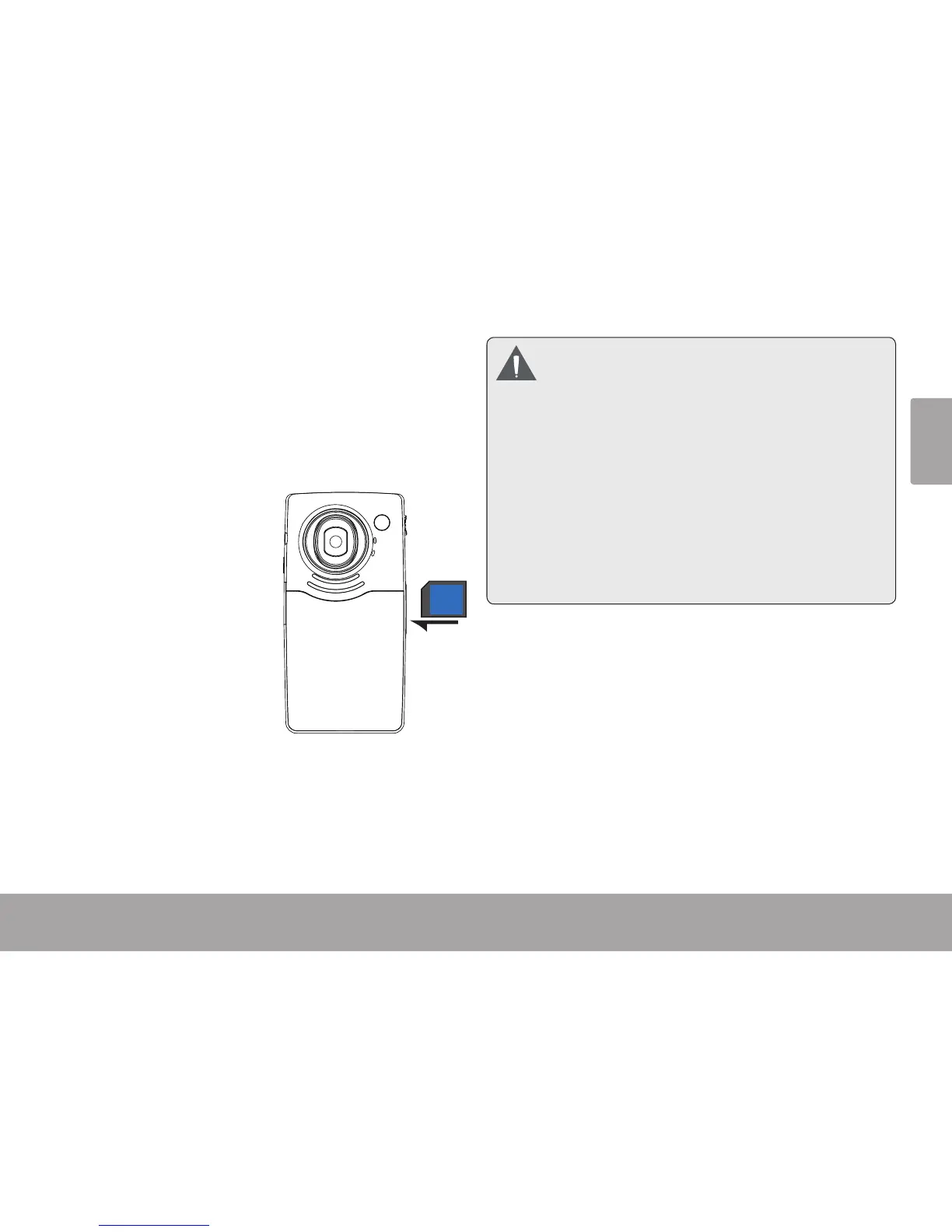
Install the memory 2.
card by inserting it
gently into the card
slot on the left side
of the video camera.
Push the card until it
clicks into place. Make
sure the card is proper-
ly aligned as indicated
by the marking next to
the card slot.
To release and remove the card, press the card in; 3.
it will spring out of the slot. Grasp the card by its
edge to remove it.
To avoid data corruption, turn o the digital
video camera before inserting or removing
a memory card.
Avoid touching the gold contacts of the
memory card.
Do not attempt to insert objects other than
an SD or SDHC memory card into the card
slot. A compatible memory card should t
easily into the card slot; if you encounter
resistance, check the alignment of the card.
Do not attempt to force the card in.


 To Next Page