30 KANSO 2 SOUND PROCESSOR USER GUIDE
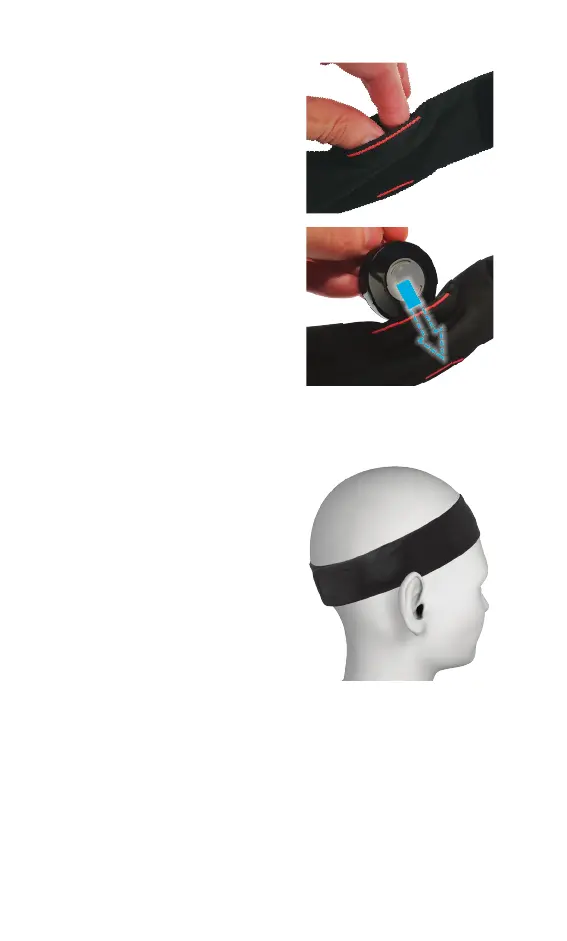
2. Open the correct pocket for
your processor.
• left-side pocket (blue) for
left processor
• right-side pocket (red) for
right processor.
3. Insert your processor into the
pocket, making sure that:
• the back of the processor
(with magnet) is facing
towards you
• the bottom of the
processor (straight edge)
goes in first.
4. If you have two processors, place your second processor
in the other pocket.
5. Place the headband on your
head, making sure that:
• the anti-slip section is
against your forehead
• your processor is over your
implant
• the headband fits firmly
• the hook and loop fastener
join is secure (press firmly).



 To Next Page