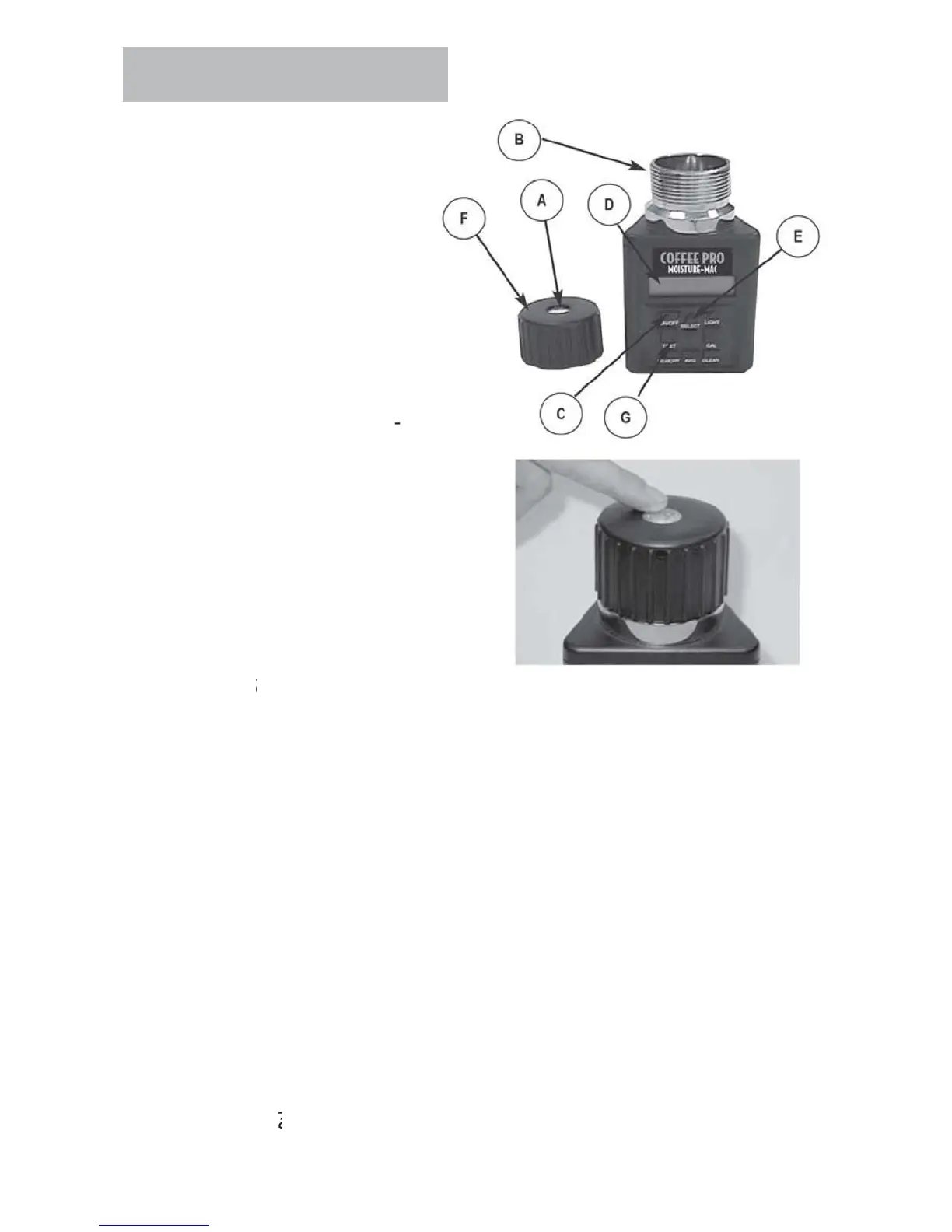
Operation
PERATIN
PR
ED
RE
N
RMAL
PERATI
N
.
emove cap
an
nspect
test cell
B
to be sure that it
s c
ean an
empt
Press
N-
FF button
to
turn on tester.
e
sp
ay
ill show ALWAY
AVERA
E
TESTS for approximatel
7 seconds
then will sho
REEN COFFEE
initial opera
tion) or the name o
the last
ra
n teste
3.
hen the grain to be tested
as
een se
ecte
us
n
t
e
ELE
T arrows (E), fill the
test ce
even to t
e top
o
the cell with sam
le to be
t
t
.
ti
htenin
pressure cap, turn on
tester and allow to warm up for 30
econds be
ore
ttempting first test
.
ep
ace cap
an
t
g
ten unt
ressure-indicator screw (F) is
ush with the top of cap
A
.
Use
Finger-Flush test as illustrated.)
6. Immediately press TE
T button
. The words TE
TIN
will be displayed for
bout 10 seconds, while the tester compensates for temperature. The moisture
and temperature will then be displayed
or about 10 seconds
7. The tester will then return to displa
ing the name of the last grain tested. Empt
the test cell and re
ll with a
resh sample and test a
ain
N
TE
ake at least three readings of new grain from the
ample collected and avera
e the results.
- Ca
- Test
ell
-
N-
FF Button
- Displa
-
elect Arrows
- Pressure-Indicator
crew
- Test Button



 To Next Page