Operation
DI
PLAY TEMPERATURE IN THE
EL
o
sp
a
t
e temperature
n t
e ce
, press e
t
er t
e up or
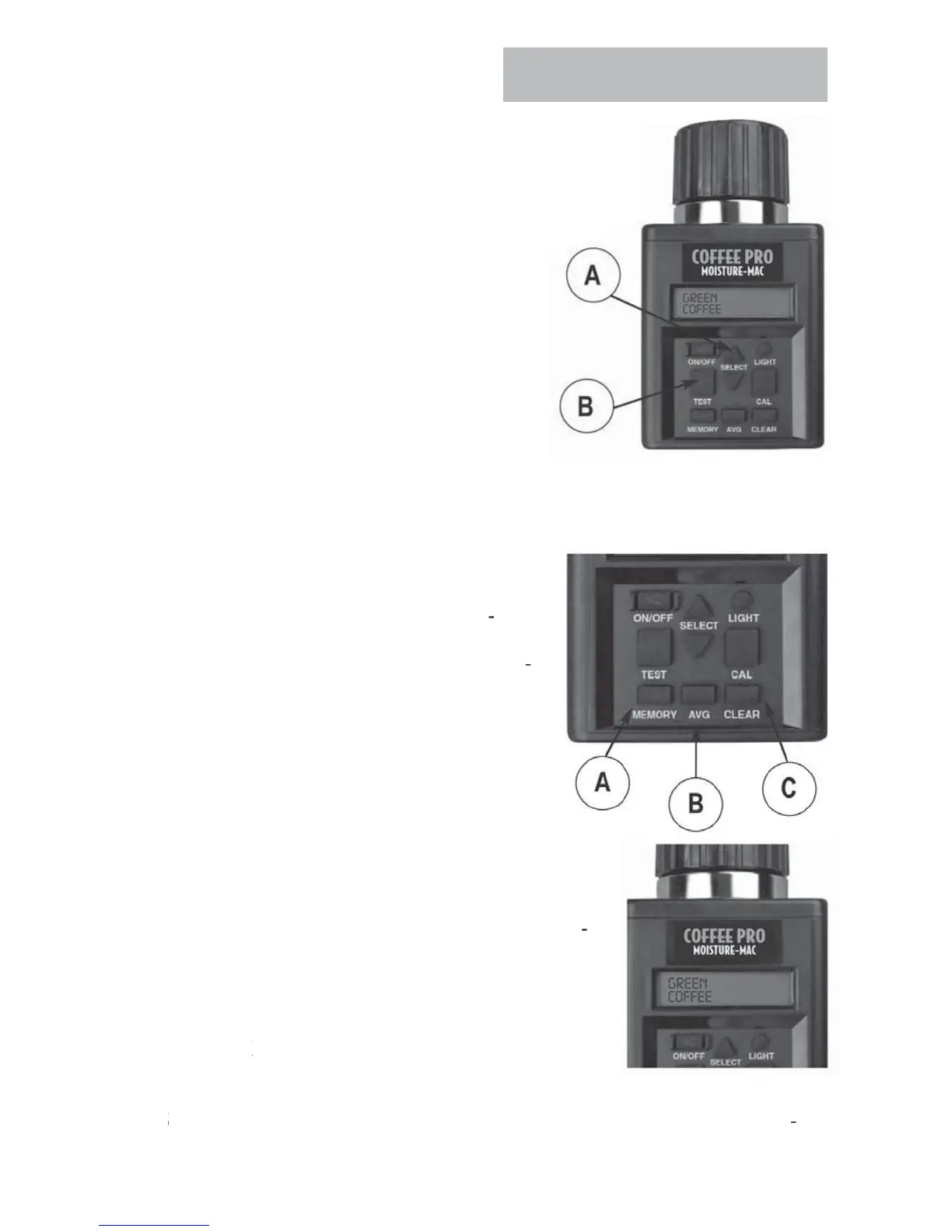
down arrow on the
ELE
T button (A) to index forward or
backward through the grain (function) menu until the word
TEMPERATURE is displayed.
hen TEMPERATURE is displayed, press TE
T
utton
.
e current temperature
n ce
w
e
displayed in both F
and C
. Temperature will be
displa
ed for a few seconds then will return to the
ain grain menu
OTE:
f the tester and
rain are differen
em
eratures, the mass o
the meta
ester will quickl
warm or cool the grain.
herefore, the temperature readin
is the cell temperature, no
ecessarily the temperature o
the grain be
ore being put in the cell.
AVERA
E TE
T RE
ULT
hen testing grain, the test result is dis
layed for about ten seconds. During the
eriod that the test moisture % and tempera
ture is displayed, press the MEMORY button
A
. The tester will acknowledge that it has
ntere
t
e rea
ng
nto memory,
y
sp
ay-
ng the current average and then the number
of stored readin
s. Up to 20 readin
s can be
tored into memory. I
the maximum number
of readin
s has been reached, the tester will
ot allow any more readings to be stored.
OTE: Averaging is stored for one grain onl
. Whe
test for a new
rain is performed, existin
avera
ng data
or the previous grain is erased when th
new
ra
n
s avera
n
ata
s ta
en.
vera
n
ata
retained even if batteries are removed
Press the
VG button (B) to display the average of all
results entered for the
rain bein
tested
3.
o clear the averaging, press the AVG button. The current average will be dis
played. Then press the CLEAR button (C) and the tester will then display 0.0
0
. This indicates that the averaging has been cleared



 To Next Page