Connecting the Reader
CAUTION: The Ethernet cable shield must be grounded at the far end.
Whatever this cable is plugged into (usually a switch or router) should have a
grounded Ethernet connector. A digital voltmeter should be used to validate
the grounding. If the far end device is not grounded, a ground wire should be
added in compliance with local electrical codes.
CAUTION: To reduce emissions, connect the far end of the Breakout cable
shield to frame ground.
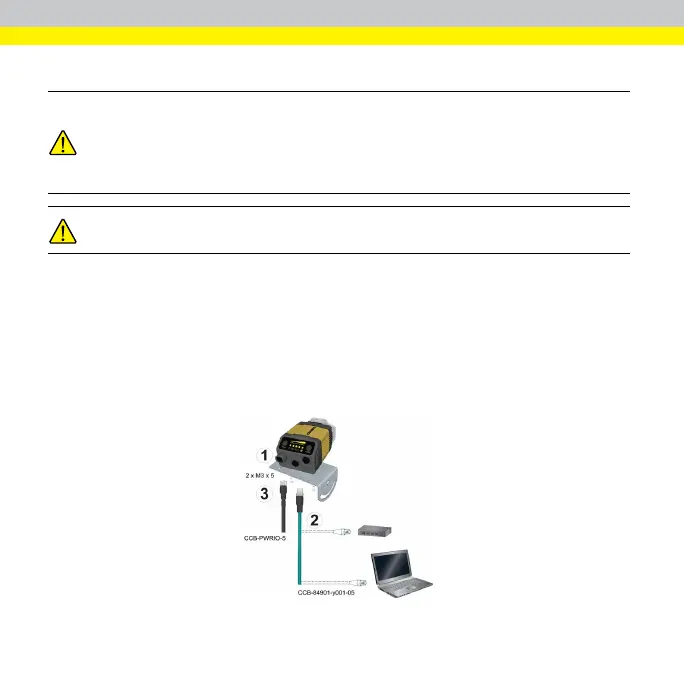
Perform the following steps:
1. Mount the reader.
2. Connect the Ethernet cable to a computer or a switch.
3. Connect the breakout cable.
For information on the cable pinout and wire colors, see section Connections, Optics,
and Lighting in the DataMan 300 Reference Manual.
12



 To Next Page