Testmode
The firmware of the Collamat
®
6600 has a standard test-, diagnostic- and programming
routine. This routines are called when the DIL-switch TEST is set to on at power on.
In the testmode, the motor is started and stopped periodically with the speed, set on the
SPEED potentiometer. If there are any labels threaded through the Collamat
®
6600, the
labels will be dispensed periodically. The DATA-HOLD switch is supervised. Dependent
to its position, the potentiometer values are scanned or stored.
In the testmode, the Collamat
®
6600 can be controlled by an ASCII-terminal or a PC
with a terminal emulation software. The communication with the Collamat
®
will be done
through the connector X104 using the RS232 protocol. The test software is menu driven
an self explaining. The user language is English.
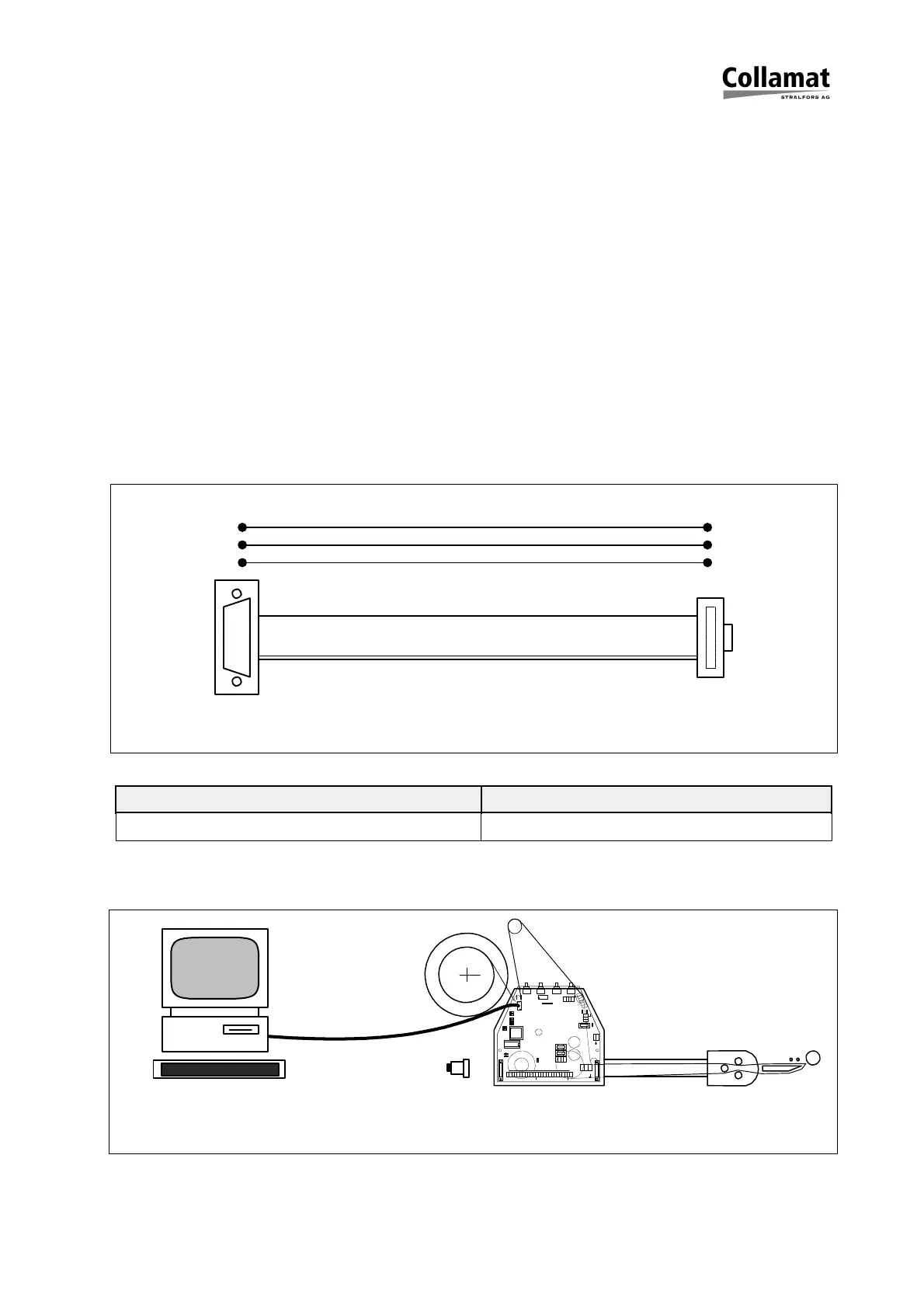
To communicate with a PC a serial communication cable is used. The figure 15 shows
the electrical connections of the serial cable:
Figure 15
Communication parameters Terminal settings
9600 Baud, 8 Bit, 1 Stop Bit, No Parity TTY, Text
Figure 16 shows how to connect the Collamat
®
6600 to a PC:
Figure 16: Test connections
9Pol D-Sub
10Pol Flachkabel
3
5
9
2
3
5
10 pol
1
1
GND
GSC1
+12V
GND
LSC
+12V
TCY
+12V
GND
RDY
FEED
IFD
IFD
+12V
GND
GSC2
+12V
GND
GSC3
NSTPI
NSTPO
GND
ERR
ERR
+12V
X48
a3
a2
a1
L1
N1 X46
9
6
1
F1
2AT 230V
4AT 115V
N
L
X51
F2
2.5AT
1.6AT
F3
3
3
7
7
IN
X40
L N
PE
X101X102
12V
5V
TEST
DIR
DEL
NS
R1
R2
X104
12
RESET
FAULT
X61
X60
1
X103
X106
1
7605
OUT
X1
X25
SPEED
PREDISP
POS TCY
X105
X39
X36
COM1
PC
Diagnosestecker
5999.527-01A 25.11.98 WM Seite 18 / 32



 To Next Page