Game 5 (Five Right Trigger Rumbles) – Fortnite
Standard – WHITE LED’s Flash
Quick Builder (One GREEN Flash)
Combat Pro (Two GREEN Flashes)
Builder Pro (Three GREEN Flashes)
Trigger/Bumper Swap - Secondary Menu
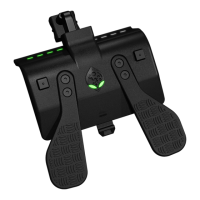
To swap the triggers with LB/RB Bumpers simply HOLD RIGHT D-PAD
for 5 seconds until the LEFT 1&2 White LED’s are lit entering Secondary
Menu mode and tap LB to swap. If activated the 3&4 White LED’s are lit
and stay lit to indicate they are swapped. Tap LB again to swap back and
the LEFT 1&2 White LED’s are lit to indicate they are swapped back to
default.
THIS SETTING IS SAVED AND WILL REMAIN AFTER
DISCONNECTING THE DEVICE. IT IS IMPORTANT TO REMEMBER
NOT TO CHOOSE A “FLIPPED” LAYOUT IN THE ACTUAL GAME.
FLIPPING THE BUMPERS AND TRIGGERS MUST BE DONE ONLY
WITH THE ELIMINATOR DEVICE. CHOOSING FLIPPED LAYOUT IN
THE GAME WILL RENDER MANY OF THE MODS USELESS.
MOD CONTROL
Adjustable MOD Controls
For Adjustable MODS keep HOLDING LEFT D-PAD while in that Class
and MOD and use RB to increase value (XB1 GREEN LED’s FLASH)
and LB to decrease value (XB1 WHITE LED’s FLASH) and RT to test.
Exceptions include Quick Scope as RB is used to increase value and
LB to decrease value BUT LT is used to test. We ONLY recommend the
test feature for default layouts and layouts that do NOT move the
location of the expected ADS/Fire buttons, however Anti-Recoil and
Quick Scope will move their test button if you have correctly set the
same layout in the SECONDARY MENU as you have IN-GAME.
Burst Fire Adjustable (BASED ON COD: BOIII)
The current Burst Fire is based on the weapon selection from the Call of
Duty: Black Ops III
TM
game. Most weapons used in other shooters will fall
into one of the five bundle selections. We will leave it to you to have fun
determining the best selection of what works for new weapons and
upcoming games.
For Burst Fire, to select the appropriate weapon that burst will be used
on, keep HOLDING LEFT D-PAD while in that Class and MOD and use
RB to increase the weapon bundle number and LB to decrease the
weapon bundle number. The XB1 RIGHT LED’s FLASH GREEN the
number of times to indicate the selected weapon bundle.


 To Next Page