WWW.STRIKEPACKELIMINATOR.COM
GETTING STARTED
Attaching & Pairing the Eliminator
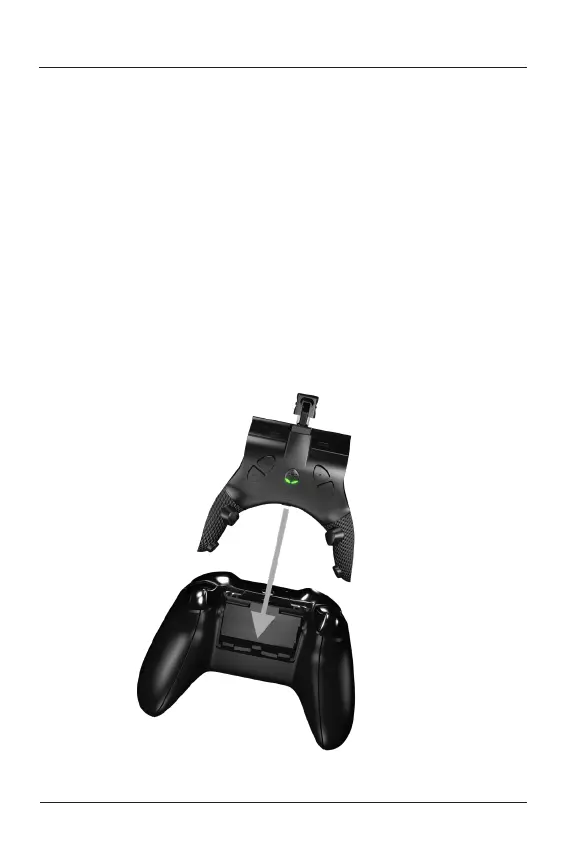
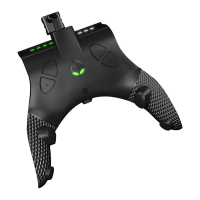
1. Remove the battery pack cover off the XBOX ONE
TM
controller.
2. If there are batteries, remove both AA batteries.
3. Place the Eliminator device into the battery compartment. It should
securely snap into place.
4. Plug the USB end of the Eliminator device into the charging port on the
XBOX ONE
TM
controller. Make sure it is securely attached.
5. Plug the supplied USB cable to the USB port on the Eliminator and
connect to your XBOX ONE
TM
console that is on. Please wait for the
guide button to illuminate before usage. Some controllers may take 3-
5 seconds to detect. If the guide button does not illuminate after 5
seconds, disconnect the USB cable from the Eliminator device and
reattach it. The guide button should now illuminate. Your device is
now successfully paired.


 To Next Page