Mapping the Action Buttons
Mapping the Action Buttons is a very simple process that takes a fraction of
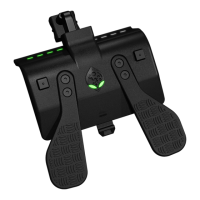
a second and can be done in real time while playing. There are four Action
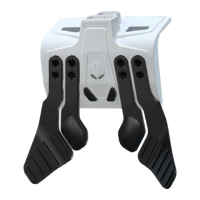
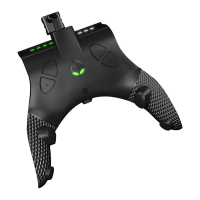
Buttons that correspond to four triangular mapping buttons. Choose which
Action Button you want to assign. To MAP that Action Button, simply hold
down the appropriate triangle button on the same side as the Action Button
you want mapped. While still holding the triangle button simply PRESS the
controller button you want to assign. To save that button as the designated
choice simply LET GO of both buttons.
For Example: If say, you wanted to assign the “A” button on the controller to
the Action Button #2, just PRESS & HOLD the TOP triangle button on the
same side as Action Button #2, and PRESS the ”A” button on the controller.
Once you RELEASE both buttons, “A” has now been assigned to Action
Button #2. To map Action Button #4, follow the same process, but use the
BOTTOM triangle button on the same side instead. To map Action Button
#1 & #3, simply use the corresponding triangular mapping buttons on the
same side as Action Buttons #1 & #3. The TOP triangular button is used to
map Action Button #1 and the BOTTOM triangular button for Action Button
#3.
Every button can be mapped, even the LS and RS stick buttons.
NOTE: Two buttons including triggers can be mapped to any Action Button.
If say, you wanted to assign the “RB” & “Y” button to Action Button #2, just
PRESS & HOLD the TOP triangle button on the side of Action Button #2,
and then PRESS the “RB” button and then the “Y” button. Once you
release the buttons, “RB-Y” is assigned to Action Button #2. This can be
very useful in games that require holding a button and pressing another
frequently like MMO’s.
MOD Navigation & Basic Control
To cycle through classes, HOLD LEFT D-PAD and use X to go UP
a Class and A to go DOWN a Class – this is indicated by the small
top LED’s.
To cycle through MODS in a Class HOLD LEFT on the D-PAD and use Y
to go UP a MOD number and B to go DOWN a MOD number. Left Trigger
Rumbles are used to indicate the selected MOD number.
To Reset to Class Defaults and any adjustable MOD, while HOLDING
LEFT D-PAD, press MENU. The controller will rumble to indicate class
reset. To Reset all Classes and MODs to Default and do a master reset:
HOLD DOWN D-PAD for 5 seconds and ALL the GREEN LED’s will be LIT
and FLASHING to let you know you are preparing to do a master reset and
then PRESS MENU, the controller will rumble once to indicate a master
reset.


 To Next Page