
 Need help?
Do you have a question about the Colortrac T25 and is the answer not in the manual?
Safety warnings, conformity, parts identification, and accessories.
Instructions for stand assembly, AIO setup, and cable connections.
Initial PC setup and SmartWorks MFP software installation.
Overview of the Home page, functions, and navigation.
Configuring scanner/printer, language, and units.
Details on Copy, Scan, Archive, Batch Mode, and Preview.
Using the preview screen for image adjustments like crop, deskew, color, and tone.
Procedures for batch scanning and creating multi-page PDFs.
Accessing advanced settings for Copy and Scan functions.
Setting file types, scan folders, and cloud options.
Navigating settings, program preferences, and personalization.
Setting up and managing user accounts with different privilege levels.
Instructions for cleaning, calibrating, and auto-stitching the scanner.
Solutions for operational errors and improving image quality.
Detailed technical data for T25 and T36 scanner models.
Definitions of technical terms used throughout the manual.
 General
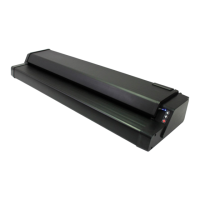
| Type | Large Format Scanner |
|---|---|
| Maximum Scan Width | 25 inches |
| Optical Resolution | 600 dpi |
| Connectivity | USB 3.0 |
| Weight | 52 lbs (23.6 kg) |
| Technology | CCD |
| Color Depth | 48-bit |
| Interface | USB 3.0 |










 To Next Page