InteliGen 200 Global Guide
2
1 Front panel elements
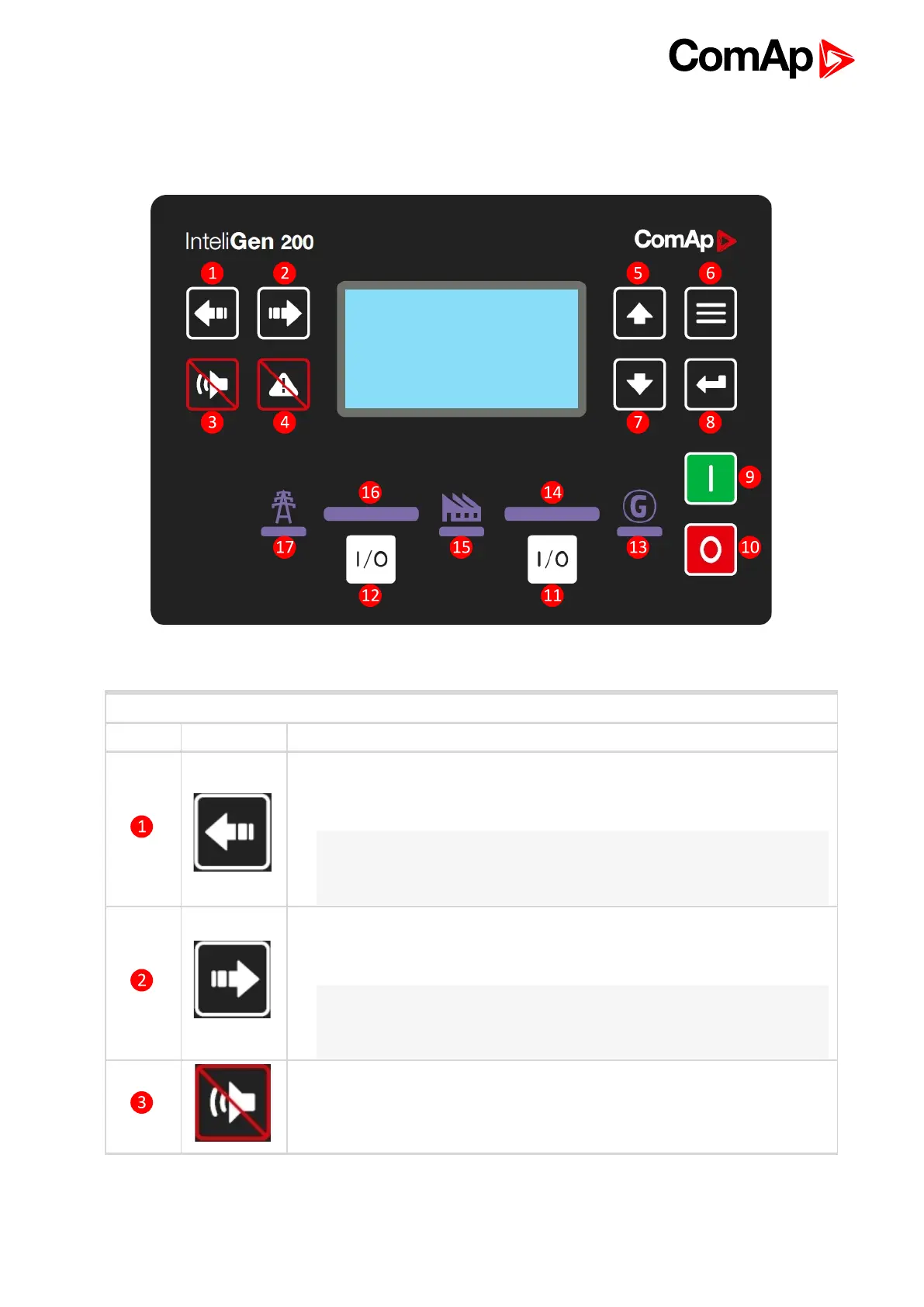
Image 1.1 Operator interface of InteliGen 200
Control buttons
Position Picture Description
LEFT button. Use this button to move left or to change the mode. The button can
change the mode only if the main screen with the indicator of currently selected
mode is displayed.
Note: This button will not change the mode if the controller mode is forced by
one of binary inputs listed in the Reference Guide – “Operating modes”
chapter.
RIGHT button. Use this button to move right or to change the mode. The button
can change the mode only if the main screen with the indicator of currently
selected mode is displayed.
Note: This button will not change the mode if the controller mode is forced by
one of binary inputs listed in the Reference Guide – “Operating modes”
chapter.
HORN RESET button. Use this button to deactivate the horn output without
acknowledging the alarms.










 To Next Page