InteliGen 200 Global Guide
23
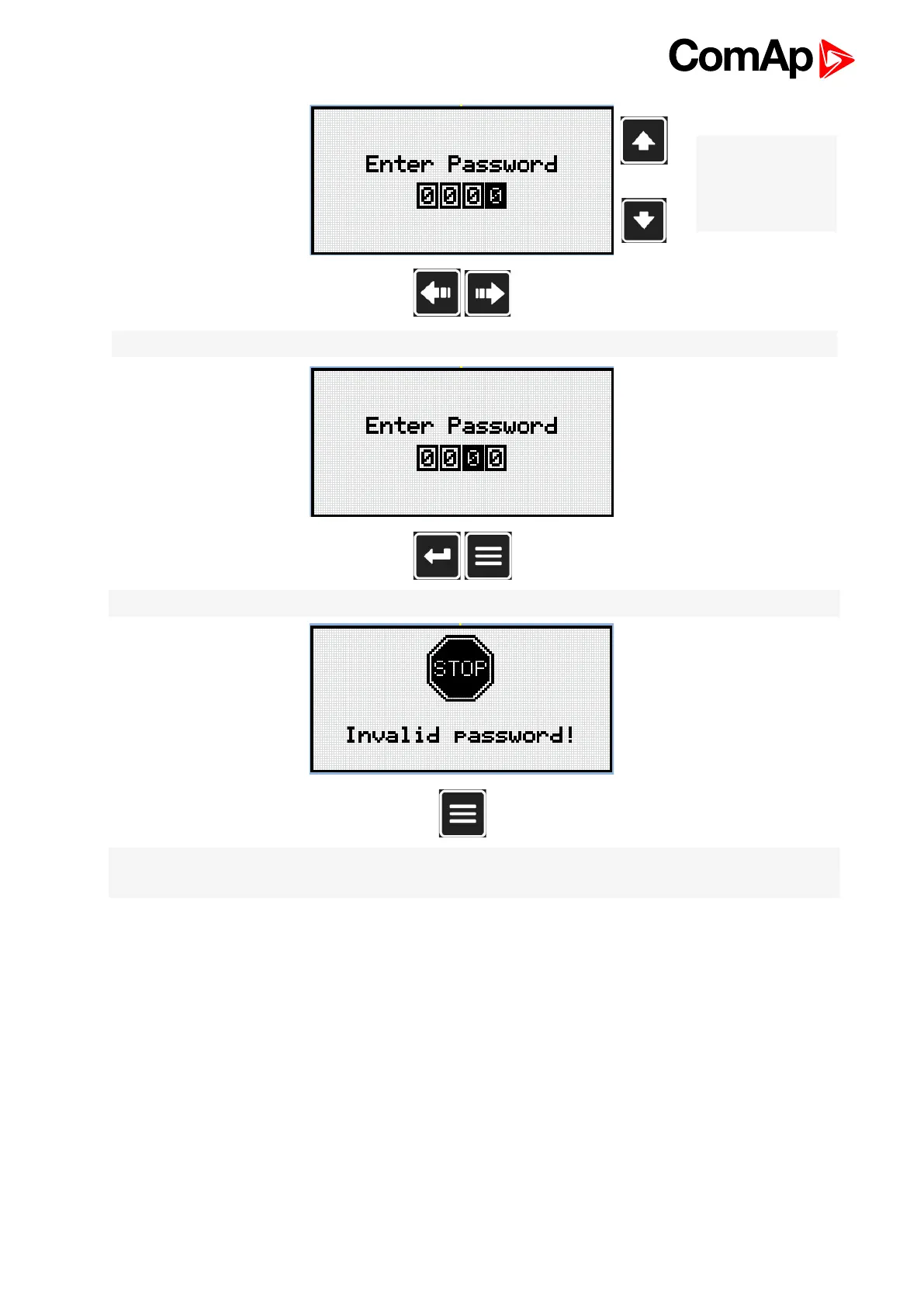
Note: Use Up and
Down button to set
required value of
selected setpoint.
Note: Use Left and Right button to move between digits.
Note: Use Enter button to confirm the password or Page button to cancel entering the password.
Note: In case that invalid password is entered, the controller shows Invalid password screen. Use Page
button to go back to menu.










 To Next Page