MK!II!Hardware!Installation!Manual:!Rev!1!
©2018!Comb!Communications!
Ensure that the 220V supply is not kinked or pinched as this may
cause a short circuit that may damage the unit.
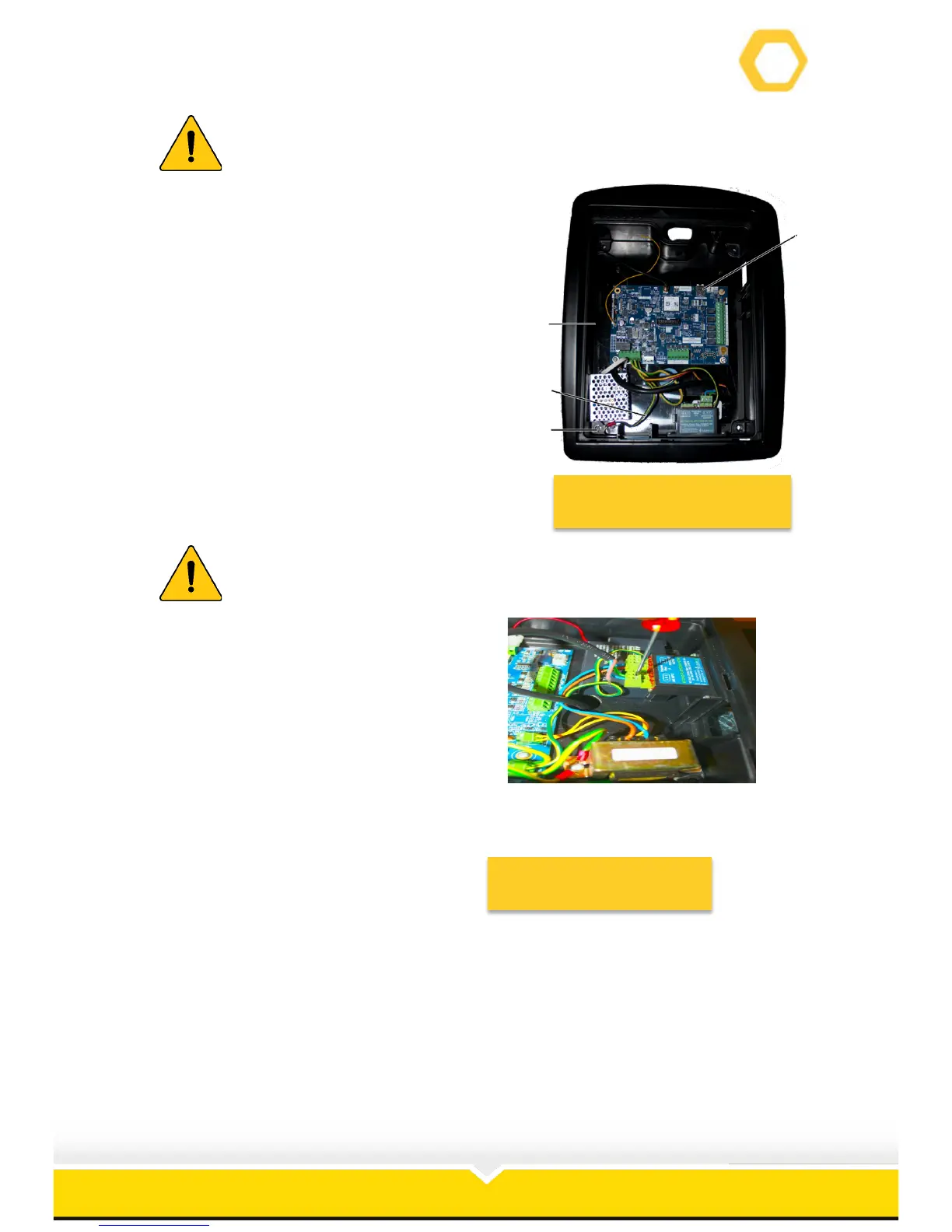
17. Insert the SIM card in the slot (1) on the PCB
and ensure that it is securely latched (See
Figure 10).
18. Align the housing (2) with the mounting plate
and replace the top two Allan Capped
screws.
19. Place the earth wire (3) in position and
replace the Allan Cap screw (4) that secures
the earth wire and the housing.
Figure 10: Mounting Plate
Failing to secure this earth wire may cause serious damage to the unit.
Failing to follow this instruction may nullify the warranty.
20. Connect the 220V power to the unit
(See Figure!11).
21. Replace the front plate in the slots
on the housing.



 To Next Page