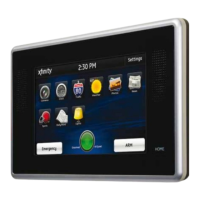
Information, Media
& Entertainment
Customizable information at a glance.*
Thermostat
Adjust settings for thermostats installed
throughout your home.
1. Touch the [Thermostat] app.
2. Change mode to Cool, Heat or Off.
3. When in Cool or Heat mode, use the [+] or [-]
toggles to change the setpoint.
4. T o u c h [Fan] to turn the fan On or Off.
5. T o u c h [Hold] to maintain the mode and ignore any
other programming configured on the thermostat.
Clock
Displays the time in full screen.
1. Touch the [Clock] app.
2. T o u c h to add seconds to the digital time
display.
3. T o u c h to change to an analog clock.
*These apps can be downloaded through the Settings menu.
Touch Screen Controller continues on next page...
QUESTIONS?
Learn more and watch How-To Videos at comcast.com/XFINITYHomeSupport
7



 To Next Page