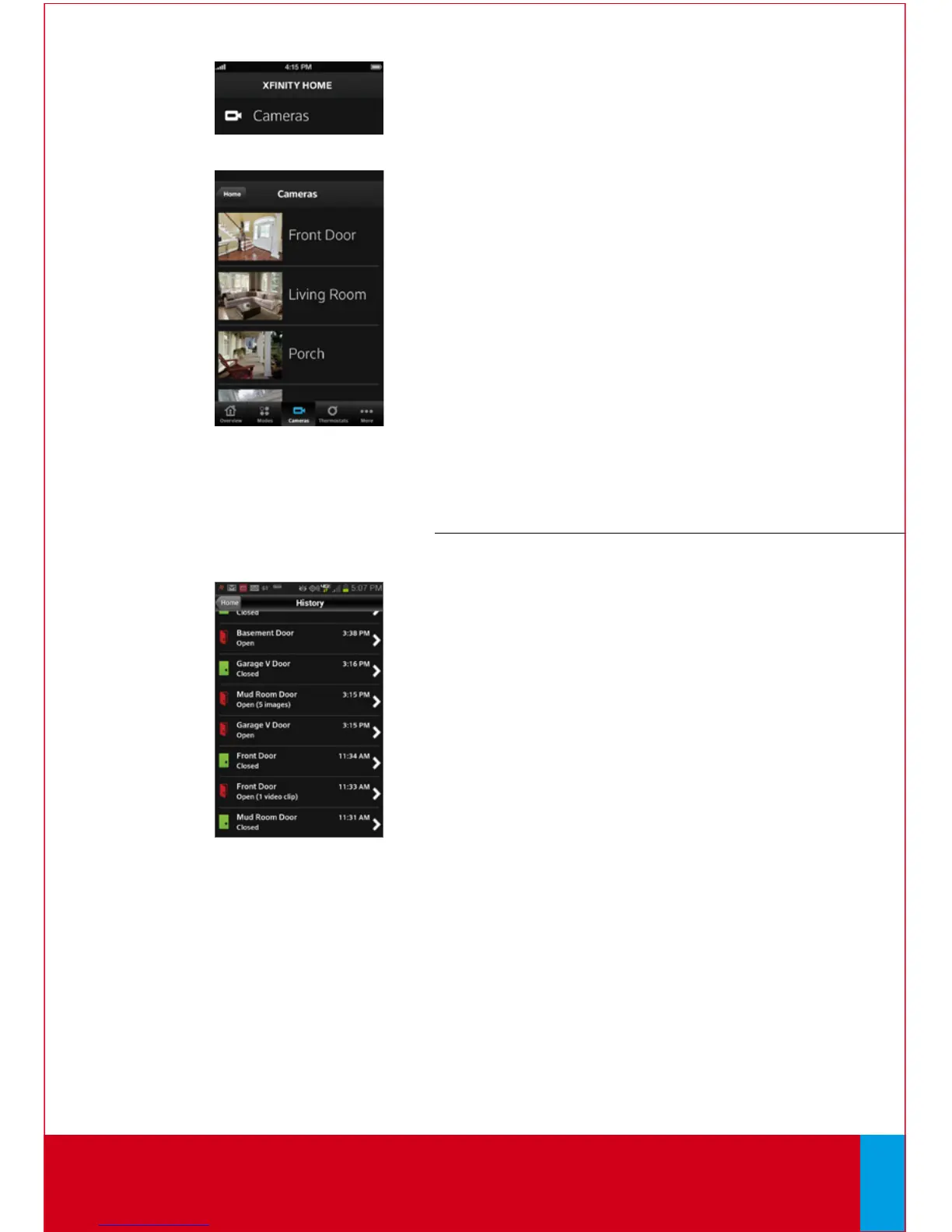
Cameras
To view captured video clips or pictures from your
cameras if you have Enhanced Video Monitoring:
1. On the Home Screen, tap [Cameras].
2. From the list, tap the camera you’d like to access.
The most recent captured image will appear.
3. Tap [Video] to view live video.
To view captured video clips or pictures from
your cameras:
1. On the Home Screen, tap [History].
2. Use the menu at the top of the screen to filter
the history:
• All — All logged events
• Alarm — Alarm events
• Arm — Arm/Disarm events
• Zone — Events related to security zones
3. Click on any event with images or video to view
captures.
Mobile Access continues on next page...
QUESTIONS?
Learn more and watch How-To Videos at comcast.com/XFINITYHomeSupport
30



 To Next Page