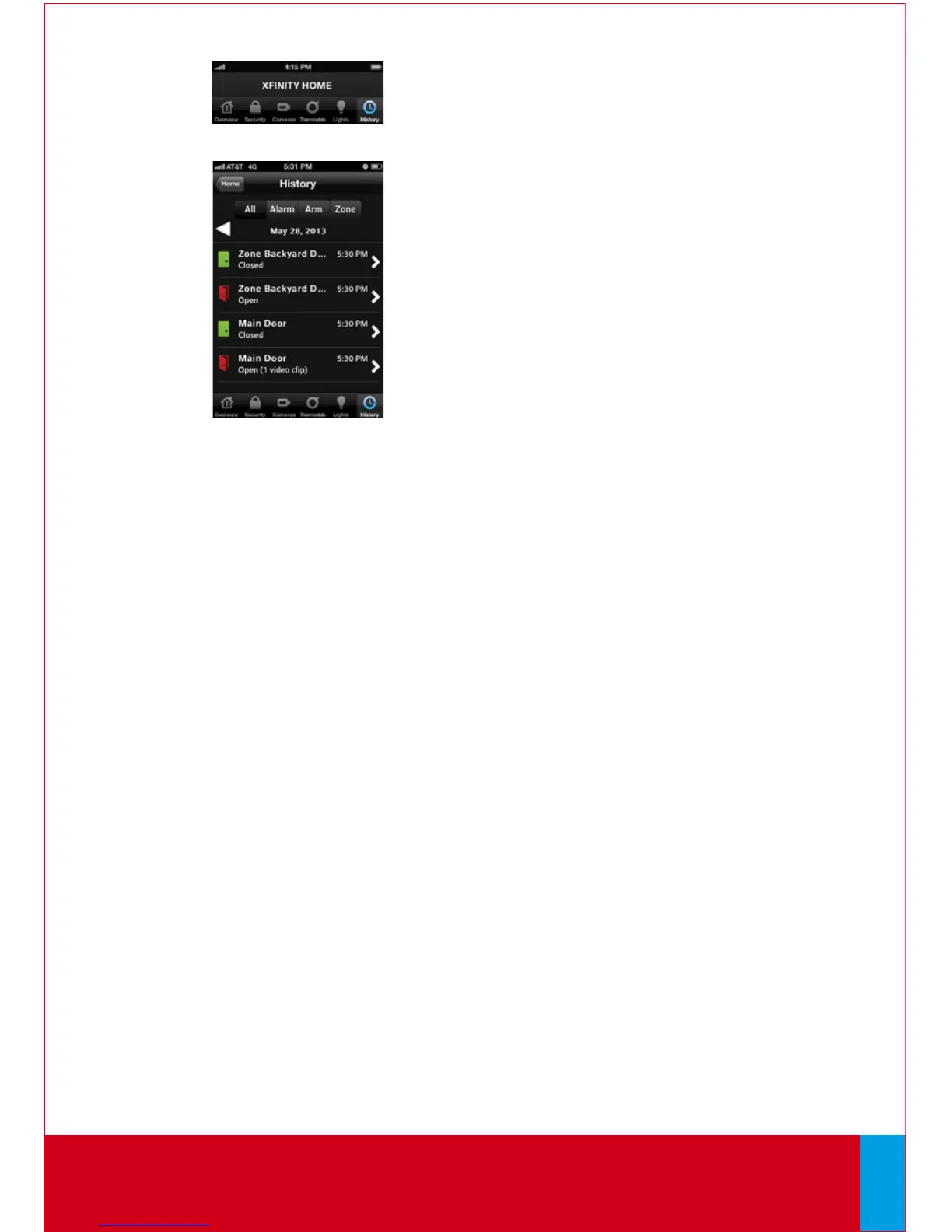
History
View a log of events that have occurred in
the system.
1. On the Home Screen, tap [History].
2. Choose to view a history of recent events based on
the following criteria:
• All — All logged events
• Alarm — Alarm events
• Arm — Arm/Disarm events
• Zone — Events related to security zones
End of Mobile Access.
QUESTIONS?
Learn more and watch How-To Videos at comcast.com/XFINITYHomeSupport
32



 To Next Page