Toolbar
Signing In
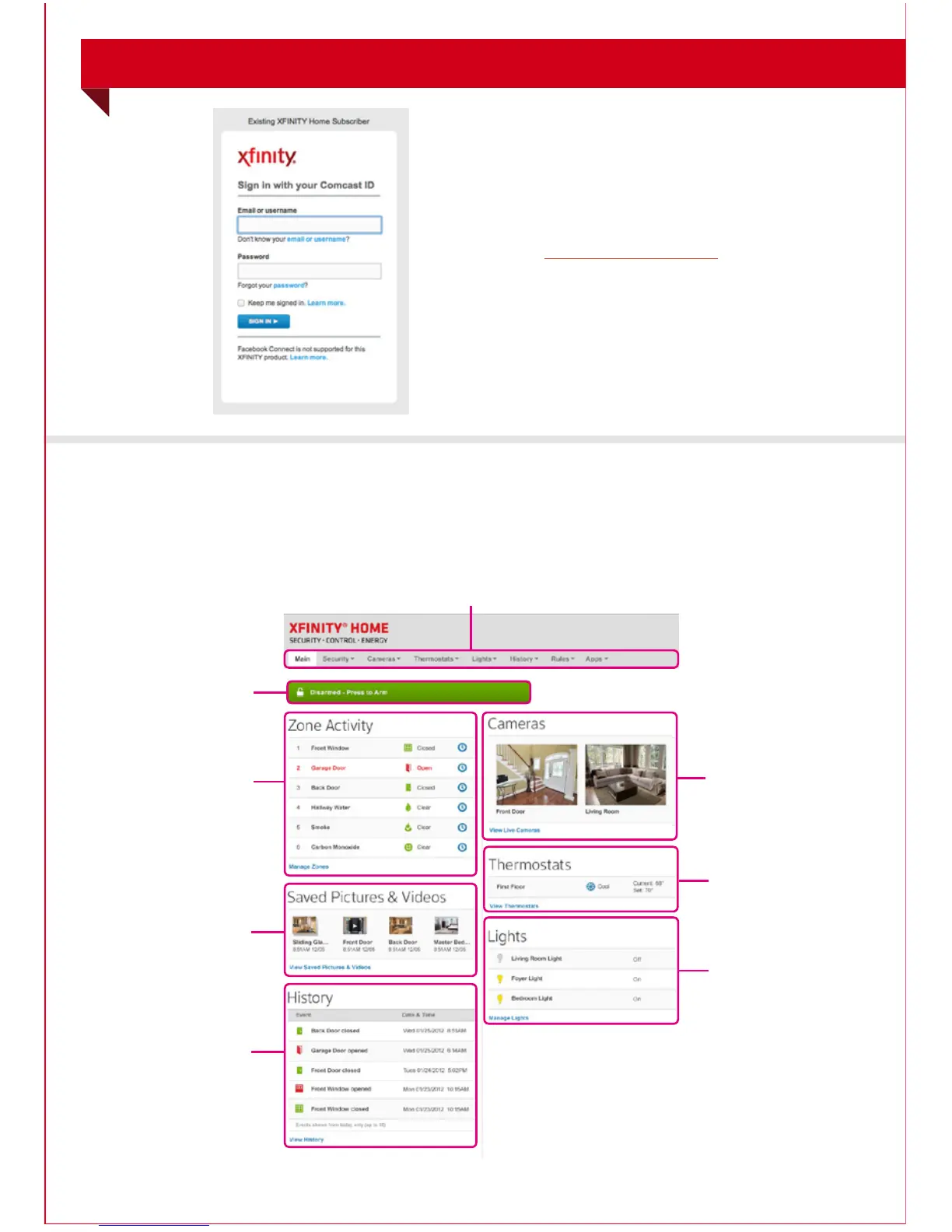
To sign in to the Subscriber Portal:
1. In a Web browser,
go to xfinity.com/XHPortal
to access your Subscriber Portal.
2. Enter your Comcast ID and Password.*
*If you do not have a Comcast ID, you can easily set
one up at xfinity.com/XHPortal
Website Summary Tab
The Summary tab provides a snapshot overview of your entire system.
From this page, you can view general status information about your home
and security system, and access various tabs to change system settings.
Zone Activity
Tool
Saved Pictures
and Videos
History Tool
Security Status
Header
Camera Tool
Thermostats
Tool
Lights
Tool
WEB ACCESS
Web Access continues on next page...
14



 To Next Page