27
comfortbilt.net
Settings Continued
Press the Enter button to highlight NO.
Press the Up button to change the NO to YES.
Press the Enter button again to confirm.
The computer will reboot back to the home screen with
default settings.
10: Reset - This menu will let you reset the programming in the
panel to the stored factory defaults, and you will lose all of your
user level settings.
Operation
7: Safe Mode- This menu allows service technicians to bypass one or both of the internal safety switches that
have the authority to stop the auger from feeding for testing and diagnosing purposes.
Bypassing safety switches can create dangerous situations, and is reserved for technicians only.
CAUTION!
Operation
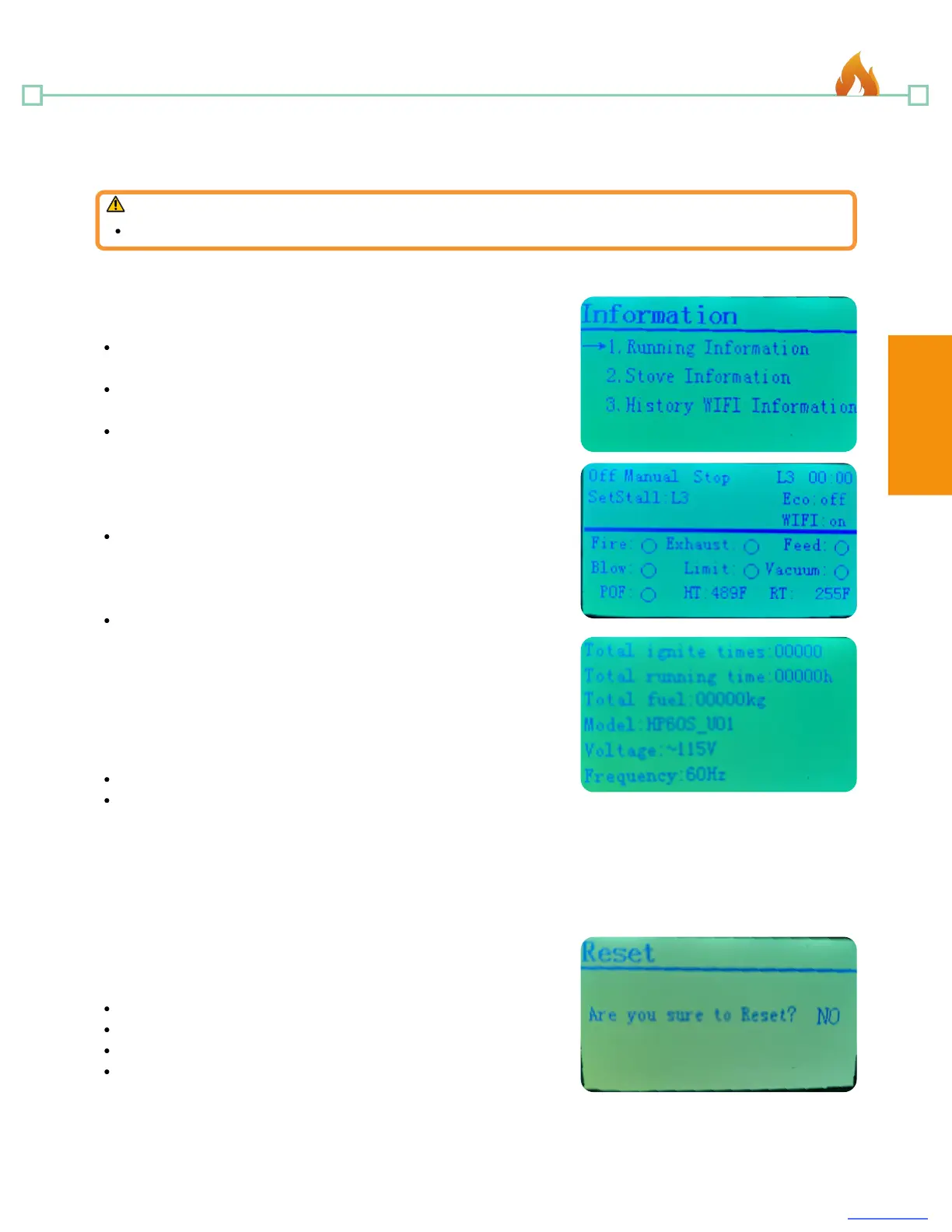
Press the Up or Down button to select the submenu you wish
to view, and then press Enter to confirm.
There are three information submenus.
Running Information
This submenu will display running information, and will
display a screen that is similar to the diagnosis menu that
shows which devices are currently engaging. (see #6
Diagnosis)
Stove Information
This submenu will display stove information such as: Total
ignite times, total running time, and program and power
information.
History WIFI Information
This Submenu will display wifi history information.
(Programmed future expansion)
8: Information - This menu allows you to view some specific
information about the stove. (See information screen on pg. 21)
1.
2.
3.
Password protected; there is no reason to alter this.
Setting the Blower to OFF would prevent the stove from
being able to transfer internal heat out into the room, and
could cause the stove to overheat and shut down.
9: Set Blower - This menu allows the room blower fan to be
toggled On or Off. (This menu is not used for our pellet stoves,
but for devices that do not use blower fans such as boilers)


 To Next Page