ComfortNet HiDef Control
Homeowner’s Guide / 21
Entering the Heating & Cooling Programs
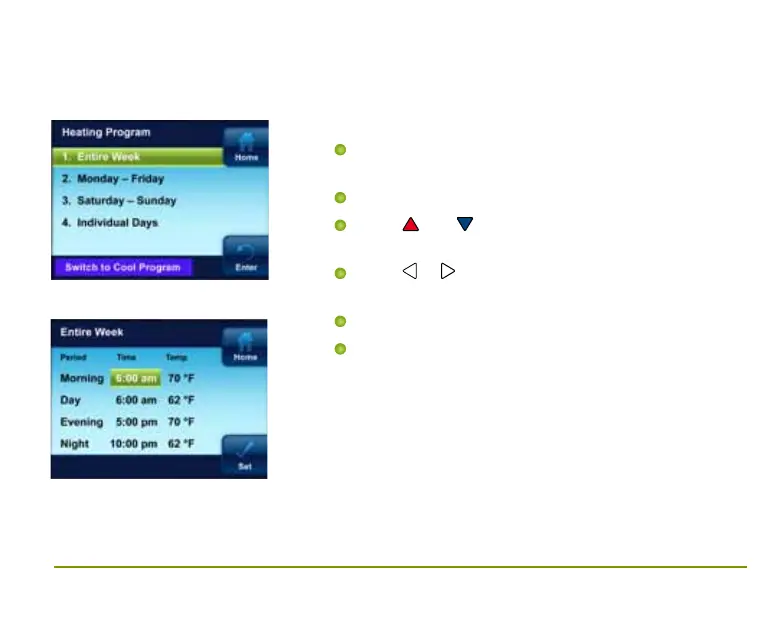
(Entire Week program illustrated below)
Entering Heating Program
On the Main Menu, highlight and enter
Heating Program
Highlight and enter Entire Week
Press and to change the highlighted
Time or Temperature to your desired settings
Press or to highlight the next time or
temperature
Set all times and temperatures for all periods
When you have completed setting all times
and temperatures, press Enter to save
and display the Heating Program menu. A
checkmark appears to indicate the portion of
schedule you have programmed



 To Next Page