Network
Network
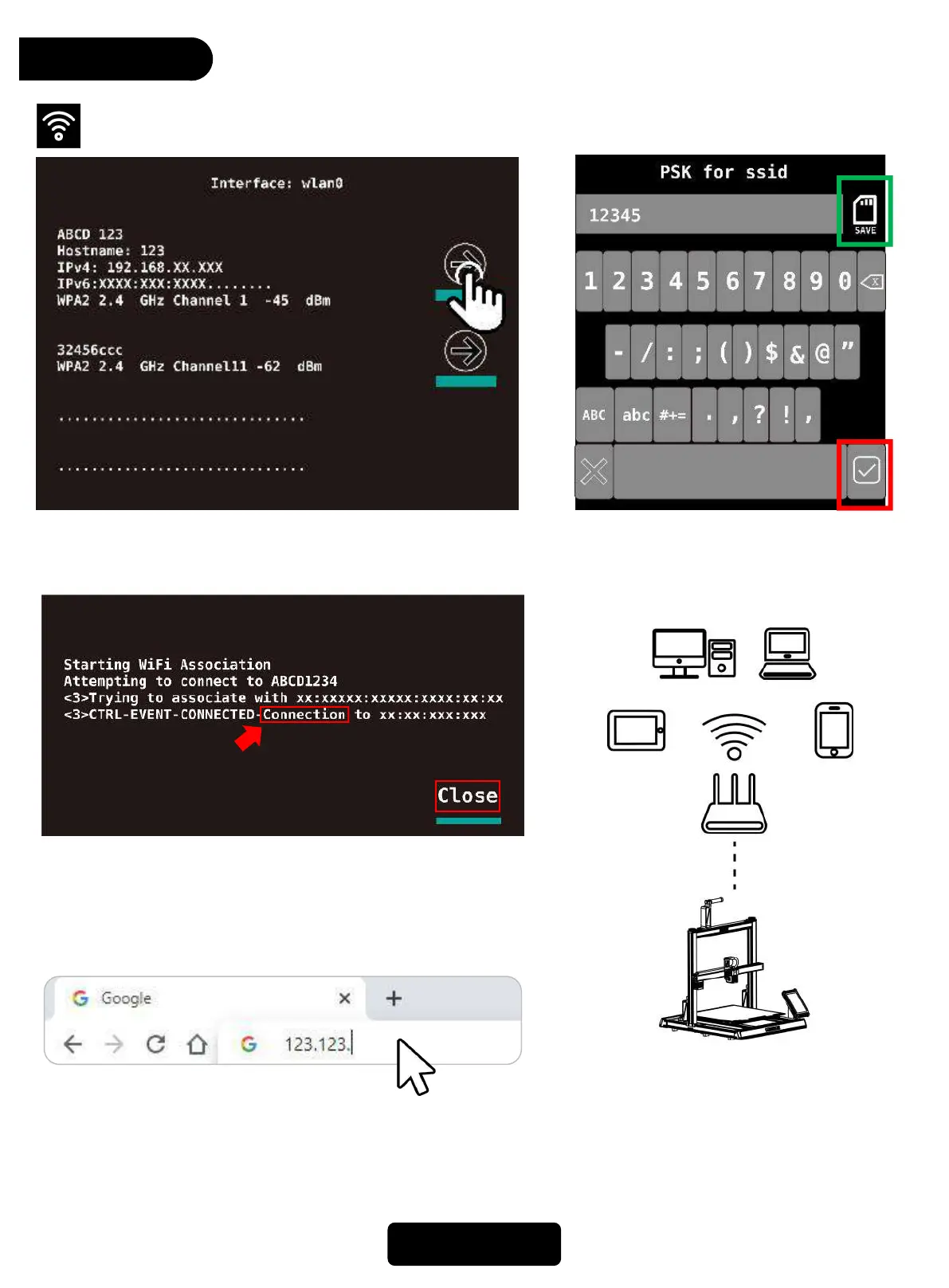
The network PC/mobile /tablet needs
to be under the same router as the
network of printer, so that they are
able to connected remotely.
15
4. After connecting to Wifi, Check the IP address of this
machine, Enter this IP address in the website address
column of the brower to enter the printing page.
2. After entering the password, click *save*
on the top right, not *☑*on the right
bottom.
1. Choose a Wifi connection
3. When there shows “Connection”or after click *close* on
the right bottom and back to wifi interface, it shows
“(connected)” after that wifi name, it means that is
connecting successfully.



 To Next Page