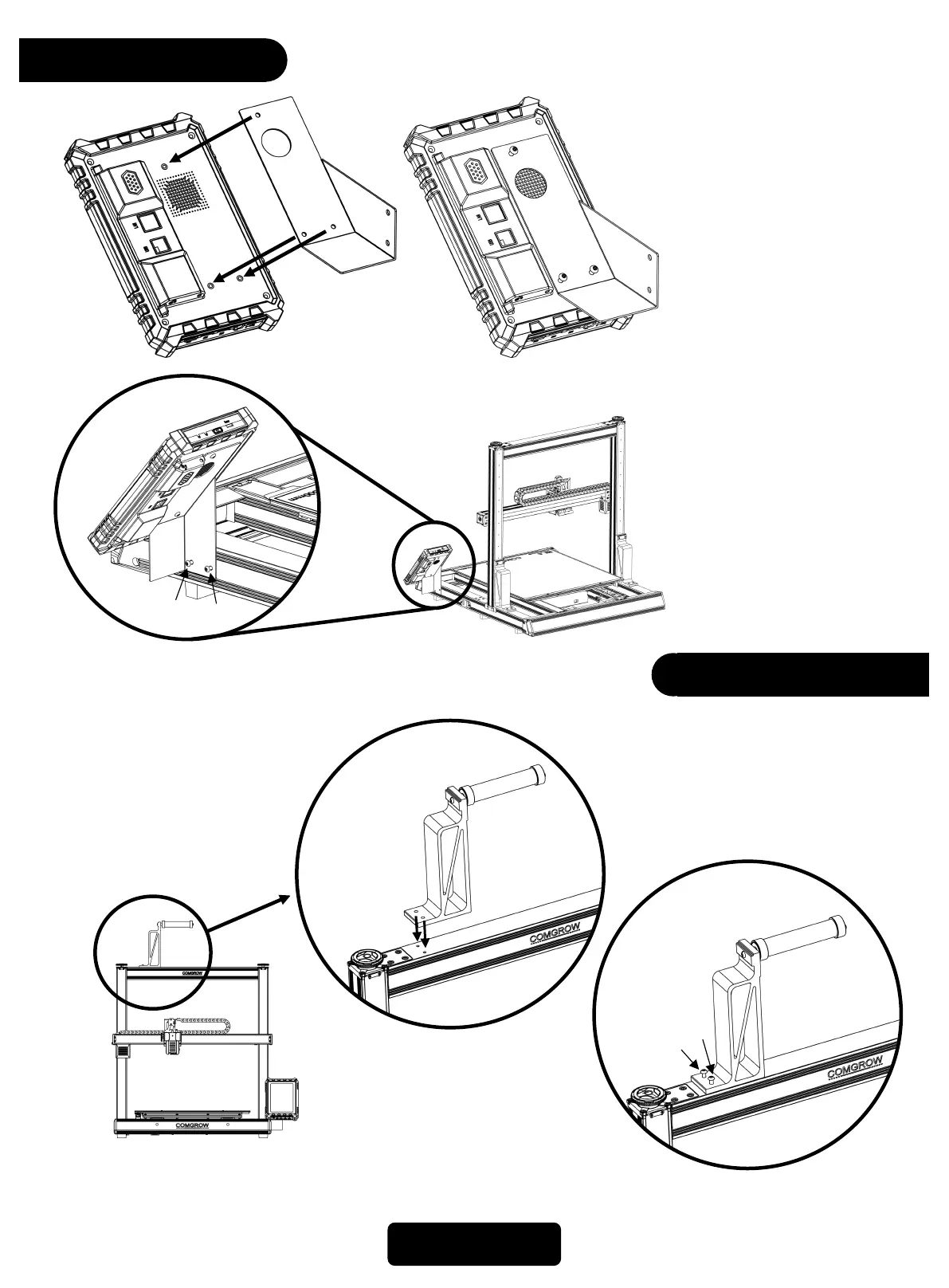
1.First, attach the touch
screen mounting plate to the
back of the touch screen,
using three M4X10 screws
to secure it.
1
2
3
2.Then, install the entire touch
screen assembly to the right
front of the machine base,
using the remaining two
M5X10 screws to secure it.
4
5
Touchscreen
06
Filament Holder
1.Install the filament holder
assembly onto the top of
the machine's crossbeam,
using two M5X18 screws
to secure it.
1
2



 To Next Page