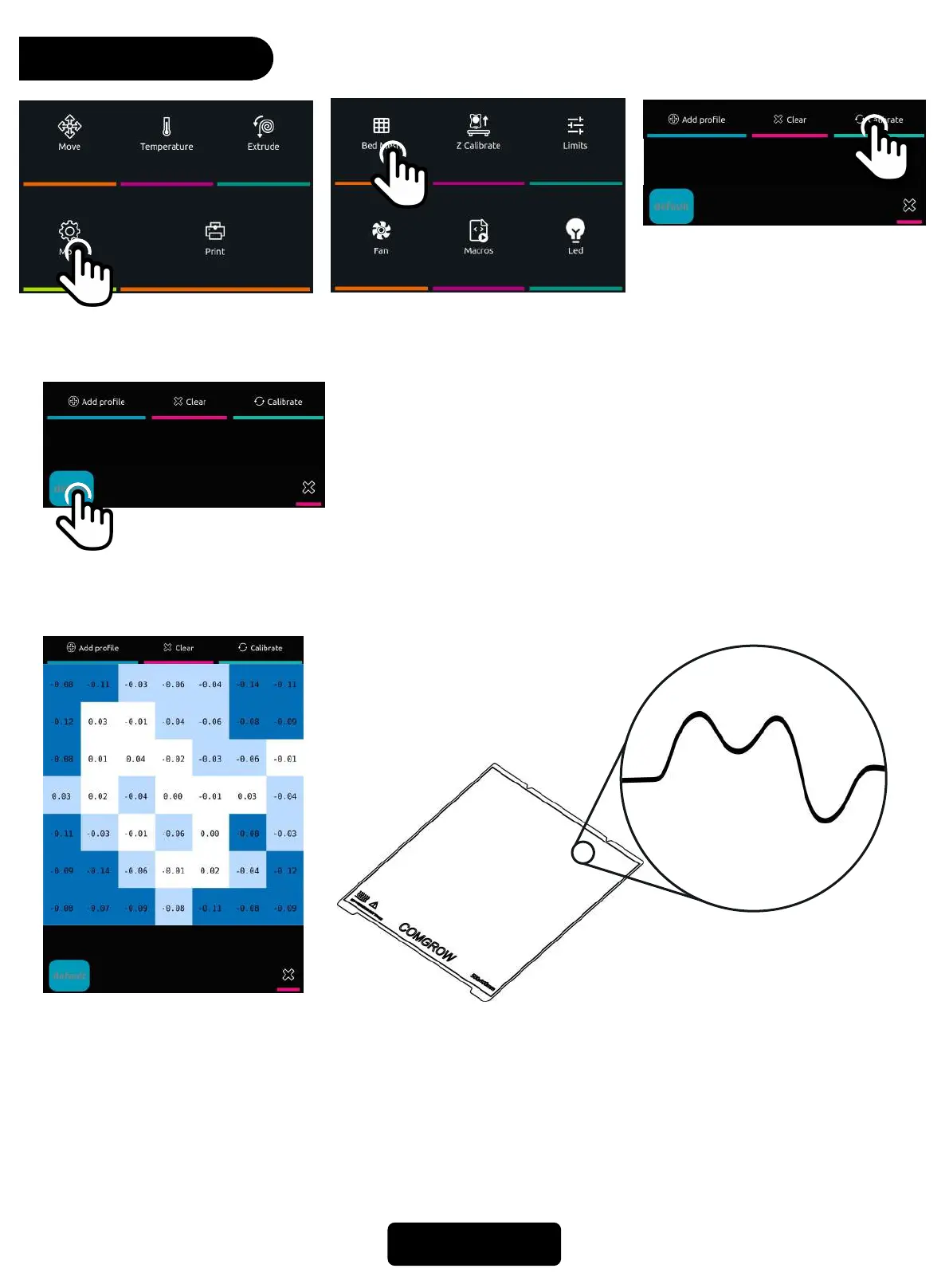
Bed Leveling
17
11. Click * More* on home page.
12. Click *Bed Mesh*, then click *Calibrate* after the
detection is complete, restart the system, Leveling
complete.
It is recommended that you fine-tune the Z offset value again according to the actual situation
when printing
If you want to view the bed mesh data later, please return to
this interface and click the current configuration name
"default“ to view
+0.04
-0.04
0
+0.02
The bed mesh data reflects the concave and convex of the hotbed. The detection data divides the
hotbed into 25 small areas to detect the concave and convex. When 0 means flat, the positive value
means relatively high, and the negative value means equivalent low. Which can reflect the levele of
the hot bed, The subsequent printer will adjust the offset value between the nozzle and the hot bed
based on these data to compensate



 To Next Page