Short Press can enter the setting display page, then adjust the related function
2. SET Function Button
Short Press for function adjustment (+)
3. Function Selection Button +
Short Press for function adjustment (-)
4. Function Selection Button -
Long press for On/O; Short press on the function menu interface to exit the current interface
1. Power Button
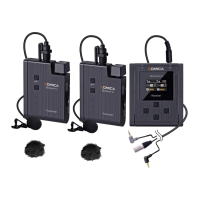
Receiver (RX)
Receiver (RX) Function Introduction:
12


 To Next Page