EasyManua.ls Logo

Commodore A 2091-40 - Page 53

Commodore A 2091-40
75 pages
Print Icon
To Next Page IconTo Next Page
To Previous Page IconTo Previous Page
Loading...
The
A2091
Installation
Software
Disk
5-17
Supports
Re
Park
head
where
(cylinder)
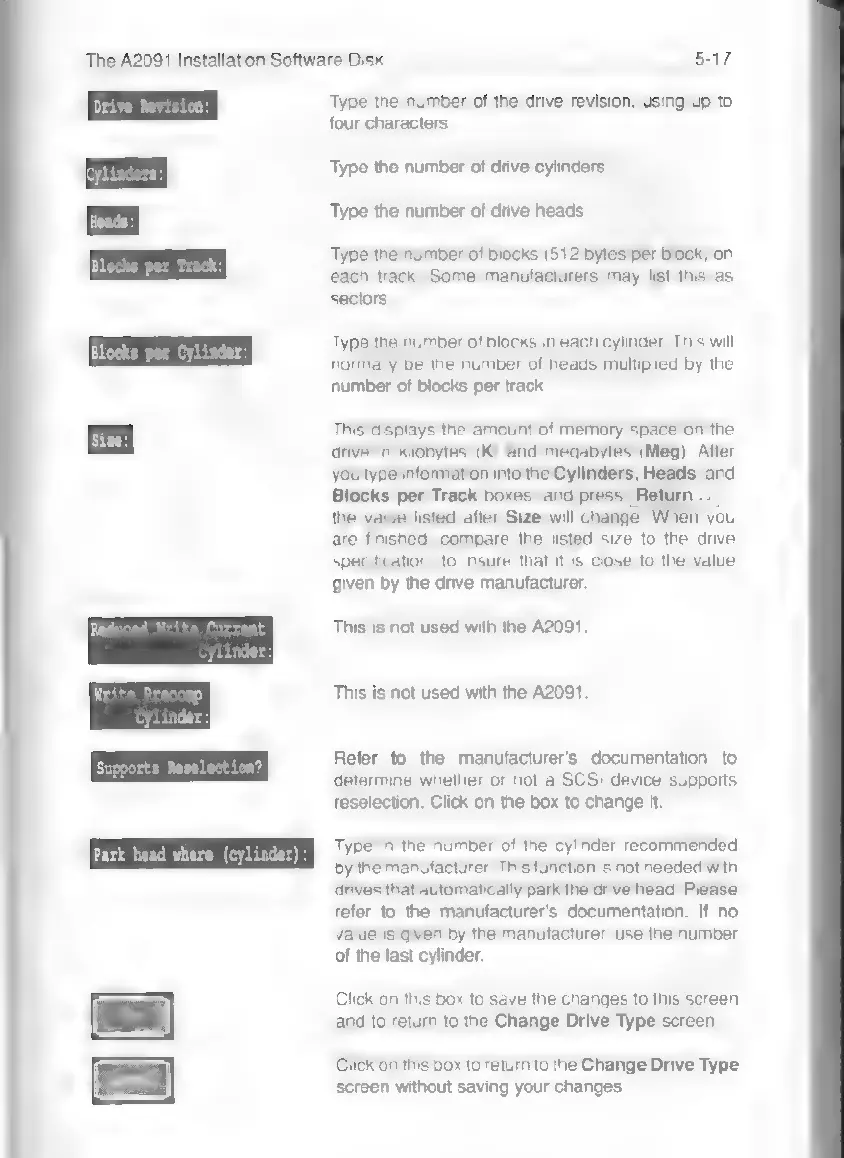
Type
the
number
of
the
drive
revision,
using
up
to
four
characters.
Type
the
number
of
drive
cylinders.
Type
the
number
of
drive
heads.
Type
the
number
of
blocks
(512
bytes
per
block)
on
each
track.
Some
manufacturers
may
list
this
as
sectors.
Type
the
number
of
blocks
in
each
cylinder.
This
will
normally
be
the
number
of
heads
multiplied
by
the
number
of
blocks
per
track.
This
displays
the
amount
of
memory
space
on
the
drive
in
kilobytes
(K)
and
megabytes
(Meg).
After
you
type
information
into
the
Cylinders,
Heads,
and
Blocks
per
Track
boxes,
and
press
|
Returi
the
value
listed
after
Size
will
change.
When
you
are
finished,
compare
the
listed
size
to
the
drive
specification,
to
insure
that
it
is
close
to
the
value
given
by
the
drive
manufacturer.
This
is
not
used
with
the
A2091.
This
is
not
used
with
the
A2091.
Refer
to
the
manufacturer's
documentation
to
determine
whether
or
not
a
SCSI
device
supports
reselection.
Click
on
the
box
to
change
it.
Type
in
the
number
of
the
cylinder
recommended
by
the
manufacturer.
This
function
is
not
needed
with
drives
that
automatically
park
the
drive
head.
Please
refer
to
the
manufacturer's
documentation.
If
no
value
is
given
by
the
manufacturer,
use
the
number
of
the
last
cylinder.
Click
on
this
box
to
save
the
changes
to
this
screen
and
to
return
to
the
Change
Drive
Type
screen.
Click
on
this
box
to
return
to
the
Change
Drive
Type
screen
without
saving
your
changes.