ERA® WCS and e-POI Subracks and Power Supply Unit Installation Guide M0201ABK_uc
Page 70 © June 2021 CommScope, Inc.
Install and Connect the Subrack Cards
Cabling OPT Cards for Connecting to a Fiber AP
In this process you will connect SFP+ Modules to the fiber cable, and then use the cable to connect a CAN or a
TEN to a Fiber AP.
1 Contact your local CommScope sales representative to obtain the following components, as required, for
this installation.
• Per the installation plan, obtain either SMF or MMF that is of sufficient length to reach from the Fiber
AP to the CAN or TEN.
• Obtain a pair of SFP+ Modules that is appropriate for this installation. Table 14 on page 62 identifies
the available SFP+ Modules.
• The AP includes one Optical OCTIS Kit (PN 7770612). Obtain an additional kit to cascade APs.
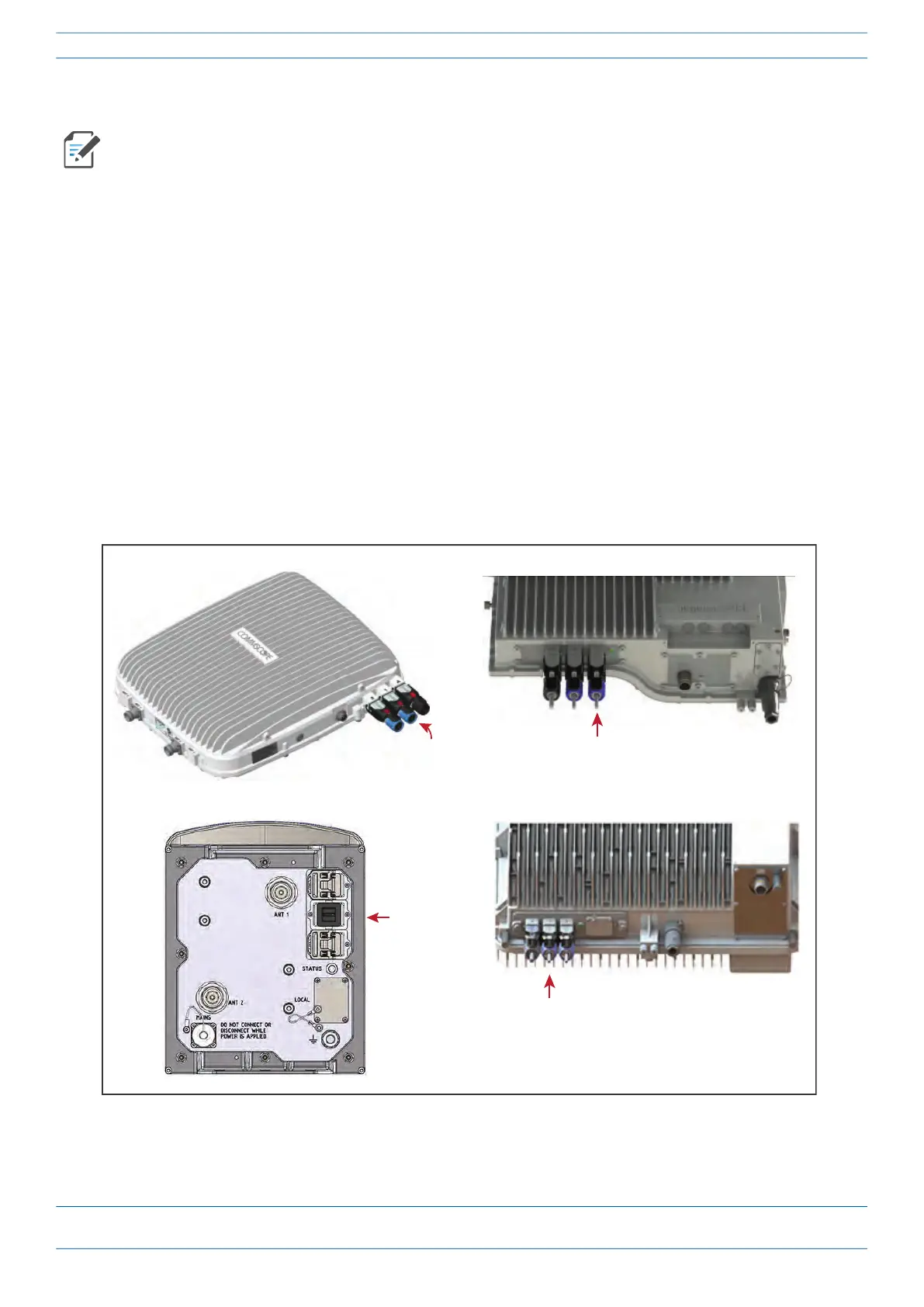
2 Connect the Optical Port 1 on the Fiber AP, as appropriate for this installation.
a Remove the dust cap from Optical Port 1 on the Fiber AP, and from the connectors on the SMF or MMF
(see graphic that follows).
This procedure tells you how to connect an OPT Card in a CAN or a TEN to a Fiber AP. For full installation
instructions, refer to the applicable Fiber AP installation guide. See "Accessing ERA Series User
Documentation” on page 83.
Port 1
CAP M
Fiber CAP L
Port
1
CAP H CAP MX
Port 1
Port 1


 To Next Page