44
To set the hard-over to hard-over Rudder
Travel, press the ADJUST key twice.
This is used to more accurately calibrate
the digital rudder angle reading and does
not affect how far the rudder moves.
Press either the up or down ARROW key
until the number on the display equals the
actual number of degrees of rudder travel.
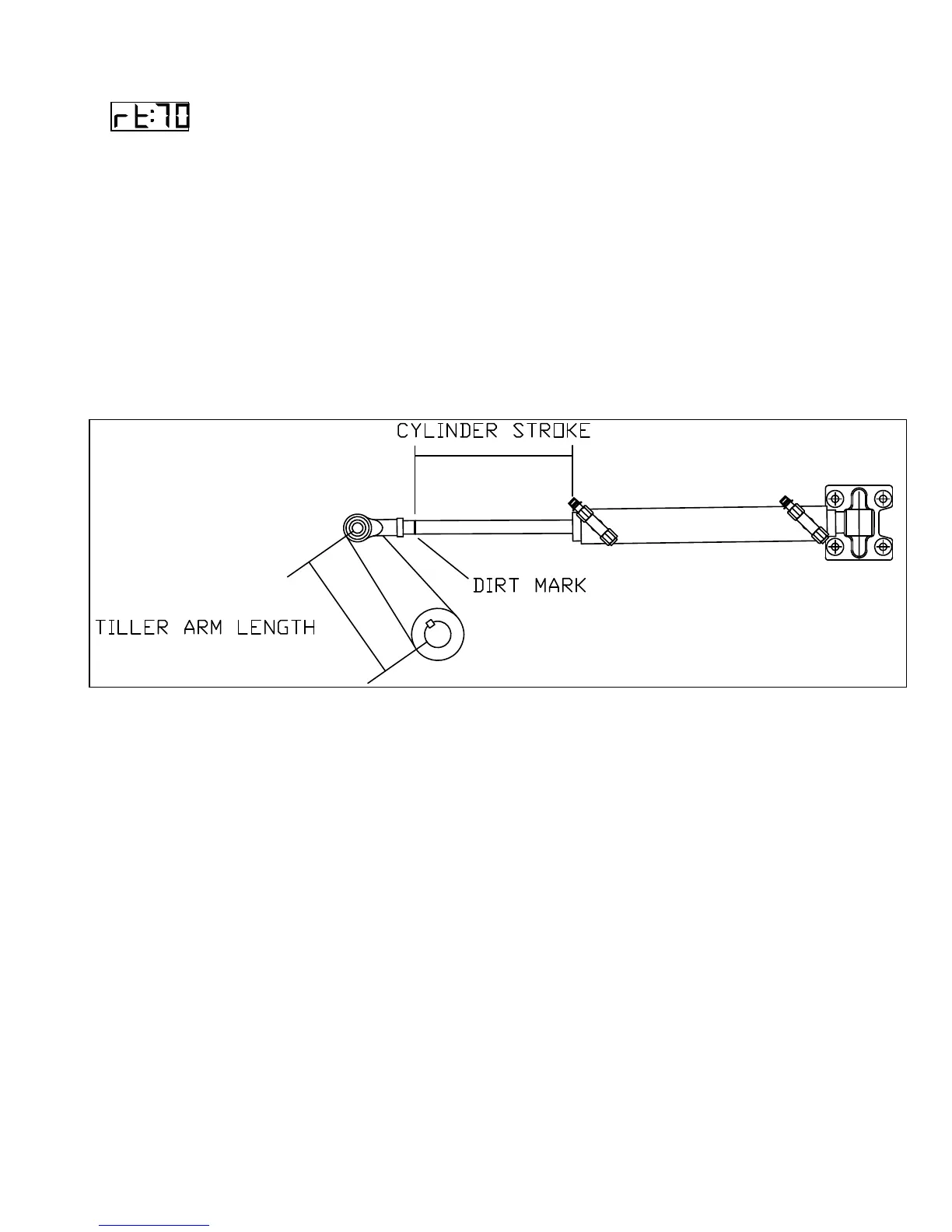
Rudder Travel can be measured using an
analog Rudder Angle Indicator (if one is
fitted), or by measuring the stroke of the
hydraulic cylinder (Cylinder Stroke) and
the distance from the center of the rudder
post to the point on the tiller where the
cylinder attaches (Tiller Arm Length).
Then calculate the hard-over to hard-over
Rudder Travel using the following
formula.
Rudder Travel = 2 x Inverse Sine (Cylinder Stroke / (2 x Tiller Arm Length))
PILOT
The third operating mode is PILOT. The
autopilot will begin steering the vessel on
the last course it was on, just prior to
switching to PILOT, when you turn the
master select switch to this position. The
autopilot will use the last rudder angle on
the vessel as the first approximation of
dead ahead rudder.
This means that if you are towing a net
and require 15 degrees of port rudder to
make the vessel steer straight, the
autopilot will hold that rudder angle when
you turn to PILOT.
If the rudder angle is not correct, the
automatic trim function of the autopilot will
find the correct dead-ahead rudder angle
in approximately one minute.
Figure 9- Measure Rudder Travel with Wheel Hard Over



 To Next Page