55
ERROR CHECKING
THE AUTOPILOT WILL DISPLAY AN ERROR MESSAGE AND SOUND THE ALARM
WHEN ANY OF THE FOLLOWING CONDITIONS EXIST:
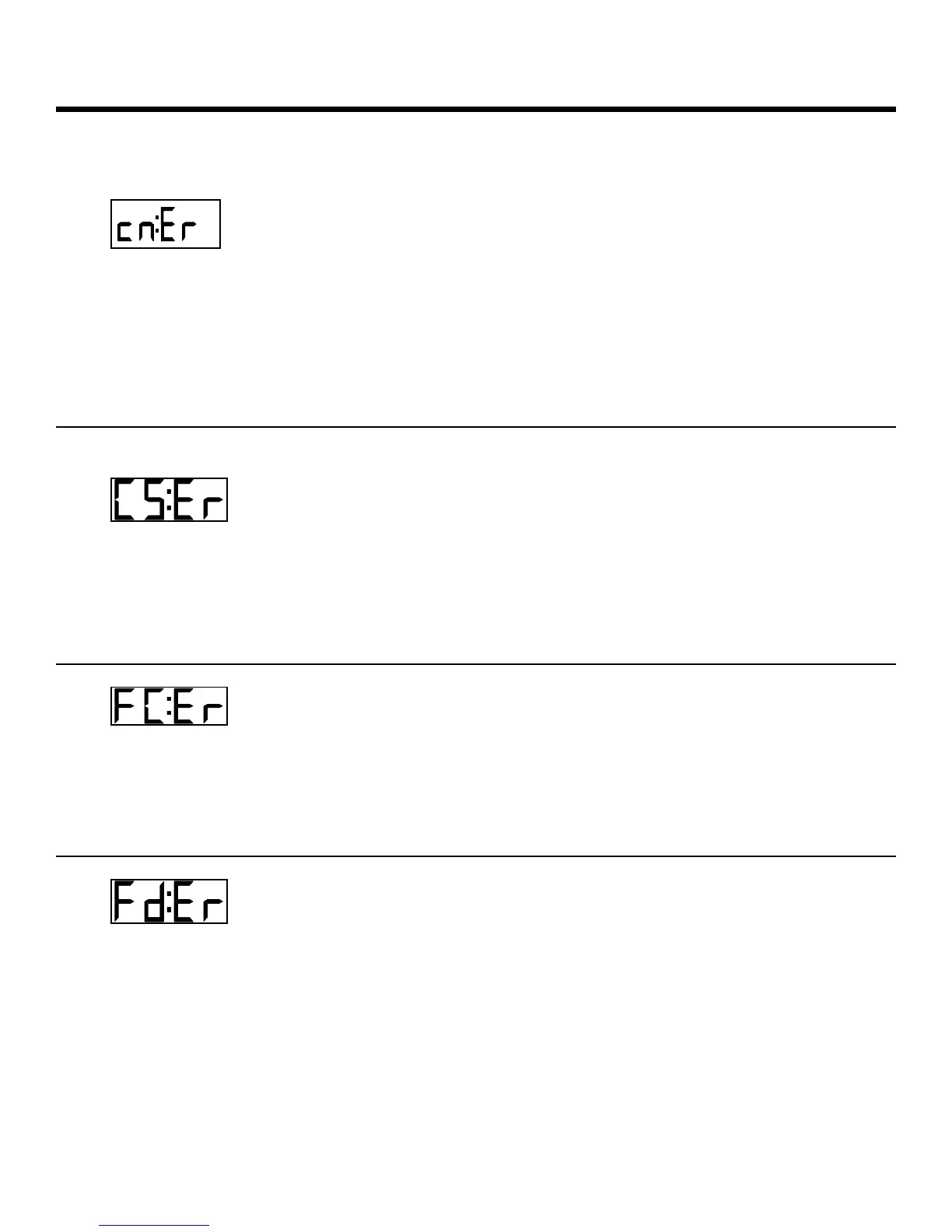
CHECKSUM
ERROR
The checksum in one of the RMA, RMB or RMC
data sentences is set incorrectly or there is a
transmission problem between the navigation
device and the autopilot.
If you choose to continue using the interface, the checksum
evaluation can be turned off by rotating the master select
switch to STANDBY and pressing the ADJUST key until the
display shows 'cn:ON'. Press either the up or down ARROW
key until the display shows 'cn:OF'.
COURSE ERROR
The vessel has fallen more than 20 degrees off
course and has remained off course for more
than 30 seconds.
This indicates a possible failure of the rudder follower, or more
likely, the power steering system. Check for an inoperative
motor drive, blown breaker to the motor, jammed four-way-
valves, etc..
FAULTY
COMPASS ERROR
There is a problem with the circuitry inside the
autopilot associated with the compass
interface.
The autopilot is operable in non-autopilot modes only (i.e.
STANDBY or POWER STEER).
FAULTY DATA
FROM NAV
DEVICE ERROR
One or more of the alarm flags in the data
sentence from the Nav Device are set.
The autopilot will continue to use the data, but will sound the
alarm and display this error message after every data
sentence received until the error flags are cleared. Extreme
caution should be used if the autopilot is left in the NAV mode.
Check the front display of the Nav device for an alarm
message. If the alarm continues for more than 30 seconds,
disengage the autopilot.



 To Next Page