K01070 | v. 25/03/2014 | Ref. quality process 002/03 | ORIGINAL INSTRUCTIONS
9
8. REGULATION
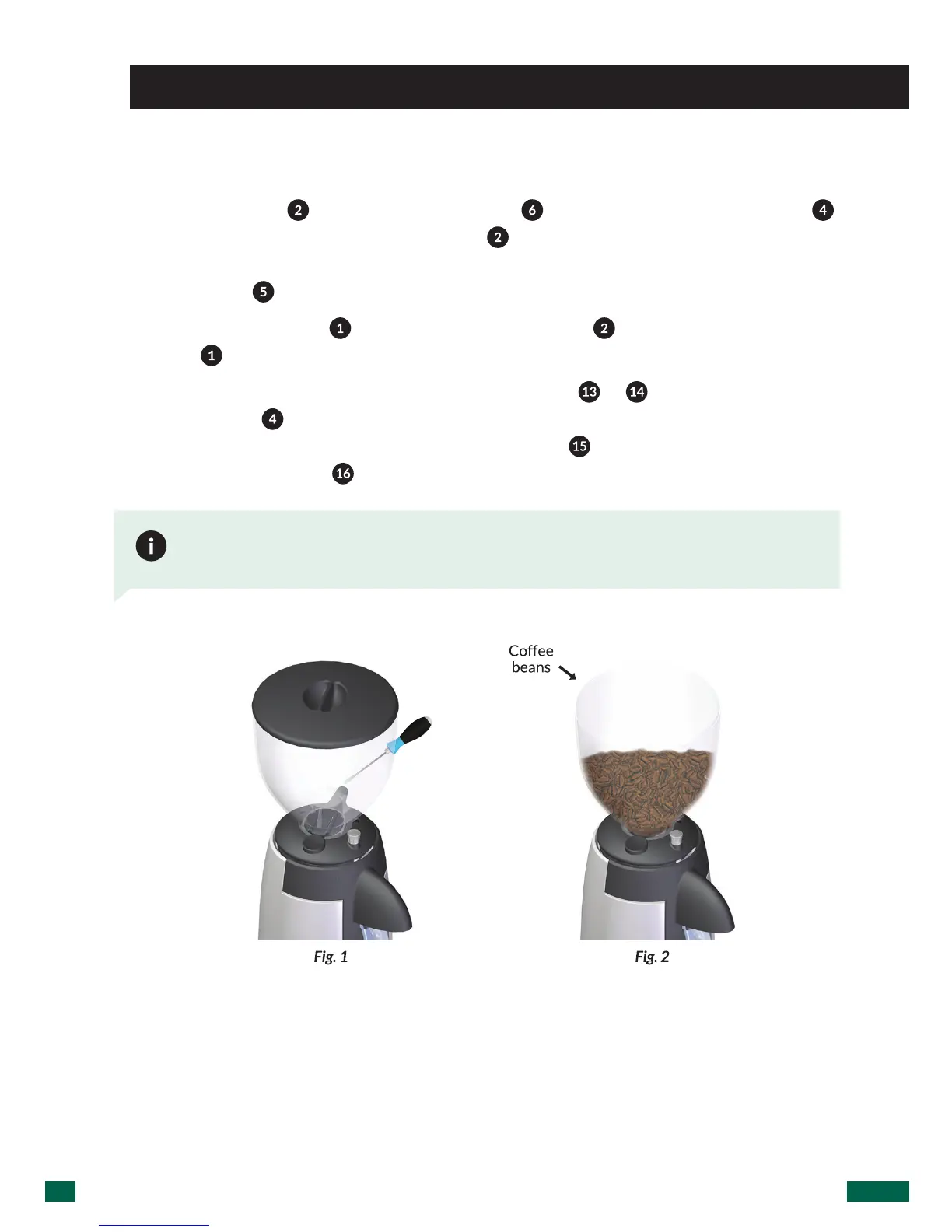
Place the hopper ( ) on the grind regulator ( ) and make sure the bean trap ( )
is in the closed position. Lock the hopper (
)inplaceusingaatheadscrewdriver
to gently tighten the hopper security screw making it match to the hole at the bean
hopper collar (
) (Fig. 1).
Remove the hopper lid (
),lltheHopperwithcoffee( ), and replace the lid on the
hopper (
) (Fig. 2).
Plug in the grinder, and place the main power switch (
or ) to position I and open
the bean trap (
) to allow coffee to pass into the grind chamber. In the TOUCH
ADVANCED
model, place the main power switch ( ) ON-OFF in position ON and
place the mode switch (
) on mode MANUAL (M).
In the PUSH / TOUCH models, the power switch I-0-II is situated on the right side
and on the TOUCH ADVANCED the main power switch is situated on the right side
while the MODE switch is on the left hand side


 To Next Page