. . . . . . . . . . . . . . . . . . . . . . . . .
Attaching and Detaching Procedures
2-3
Part Number: 235758-004 - Writer: Johnnie Abercrombie - Saved by: Rebecca Wiggins
Saved date: 11/05/97 1:36 PM - File Name: Ch02.doc
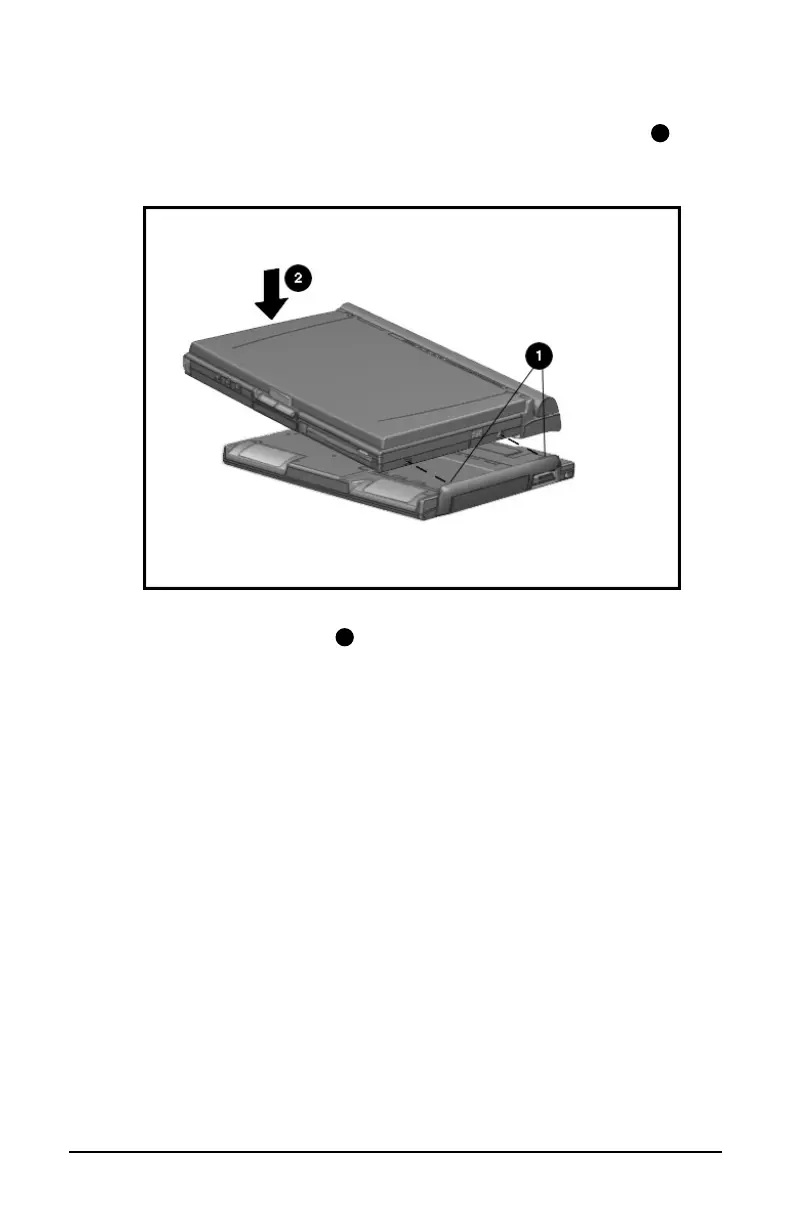
5. Tilt the computer at an angle to line up the two guide hooks
1
with the two tabs on the right side of the MCD.
Attaching the Computer to the MCD
6. Lower the computer
2
until it snaps into place. Be sure that the
expansion connector slot on the bottom of the computer is
aligned with the connector posts on top of the MCD.













 To Next Page