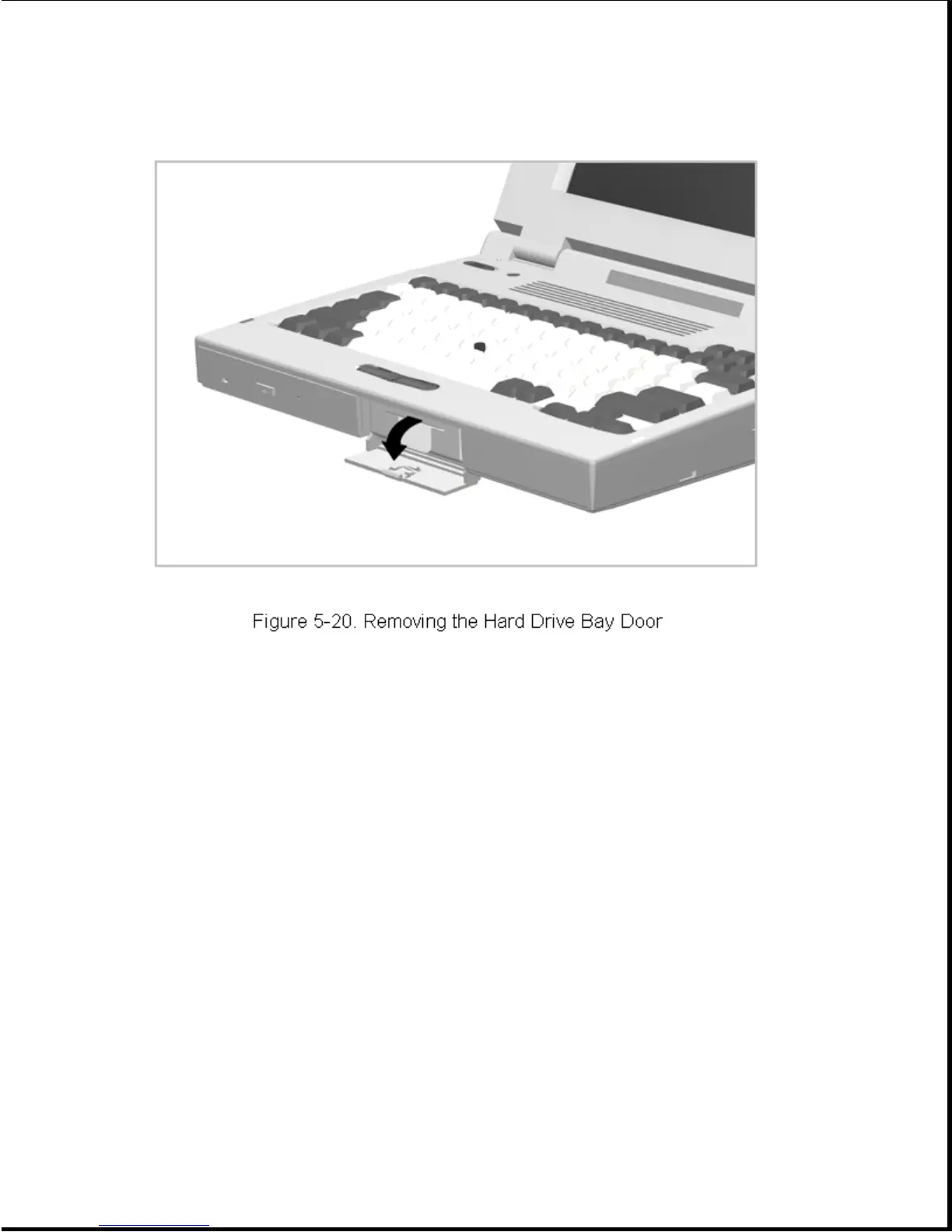
2. Open the hard drive bay door until you feel resistance, then continue
to open the door (Figure 5-20) until the door is released.
To install the hard drive door, orient the door to 90 degrees from its
closed position and snap it onto the pivot studs on the computer.
5.4.8 PC Card Door
The PC Card door snaps into place. To remove and replace the PC Card door,
complete the following steps:
1. Open the PC Card door (Figure 5-21).



 To Next Page