CTFT
LTE 5400 12.1 in 1024x768 2-3 2-3 2-3
CTFT
---------------------------------------------------------------------------
* Verify the display panel revision number by checking the printed number
on the large ferrite bead on the display cable. The display cable is
located on the left side of the display assembly.
===========================================================================
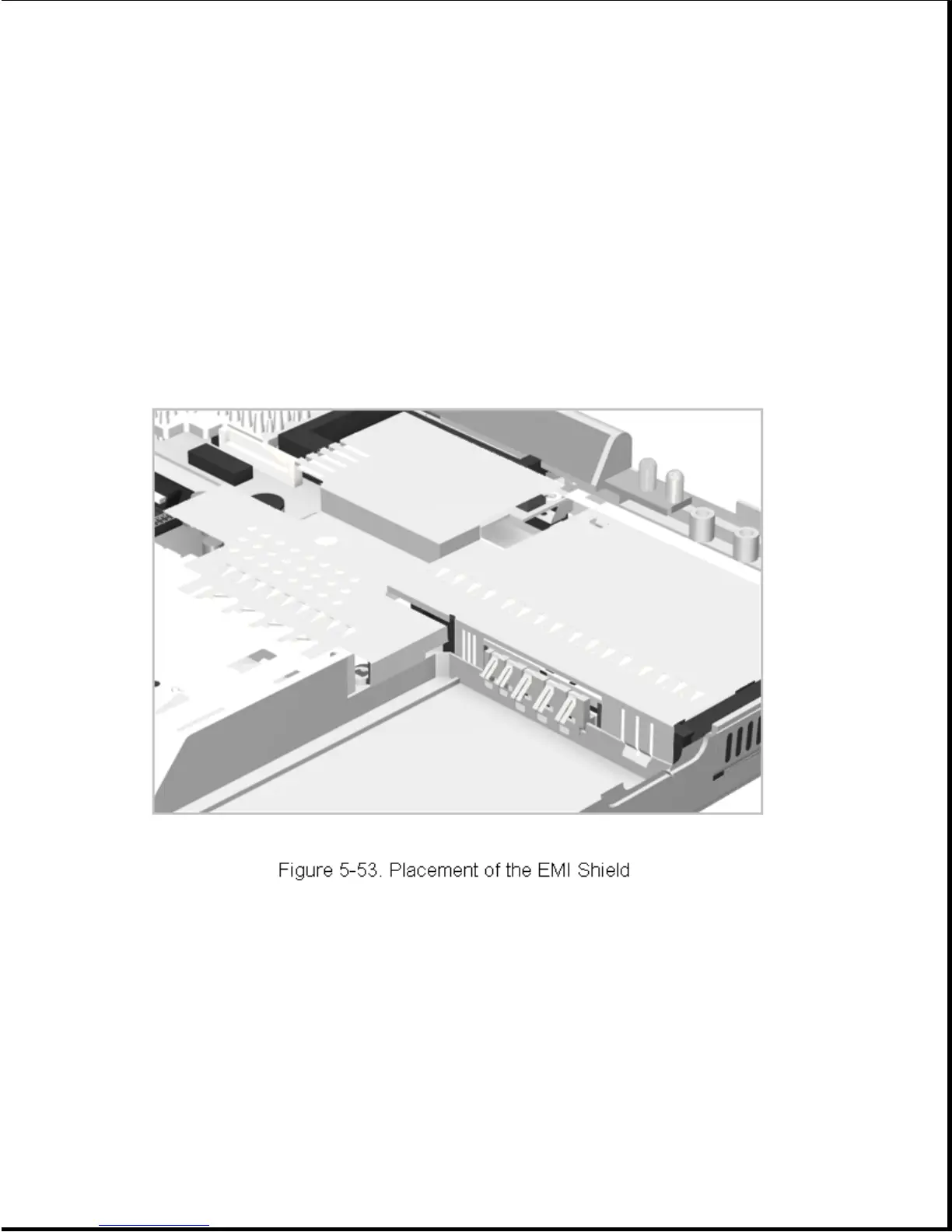
Reverse the above procedure to install a processor board, taking care with
the placement of the EMI shield (Figure 5-53).
Chapter 5.12 Microphone Extension Cable
The microphone extension cable is routed under the processor board. To
remove and replace the microphone extension cable, complete the following
steps:
1. Remove the processor board as described in Section 5.11.
2. Disconnect the microphone extension cable from the microphone cable and
its connector in the left rear corner of the system board, and lift the
cable out (Figure 5-54).



 To Next Page