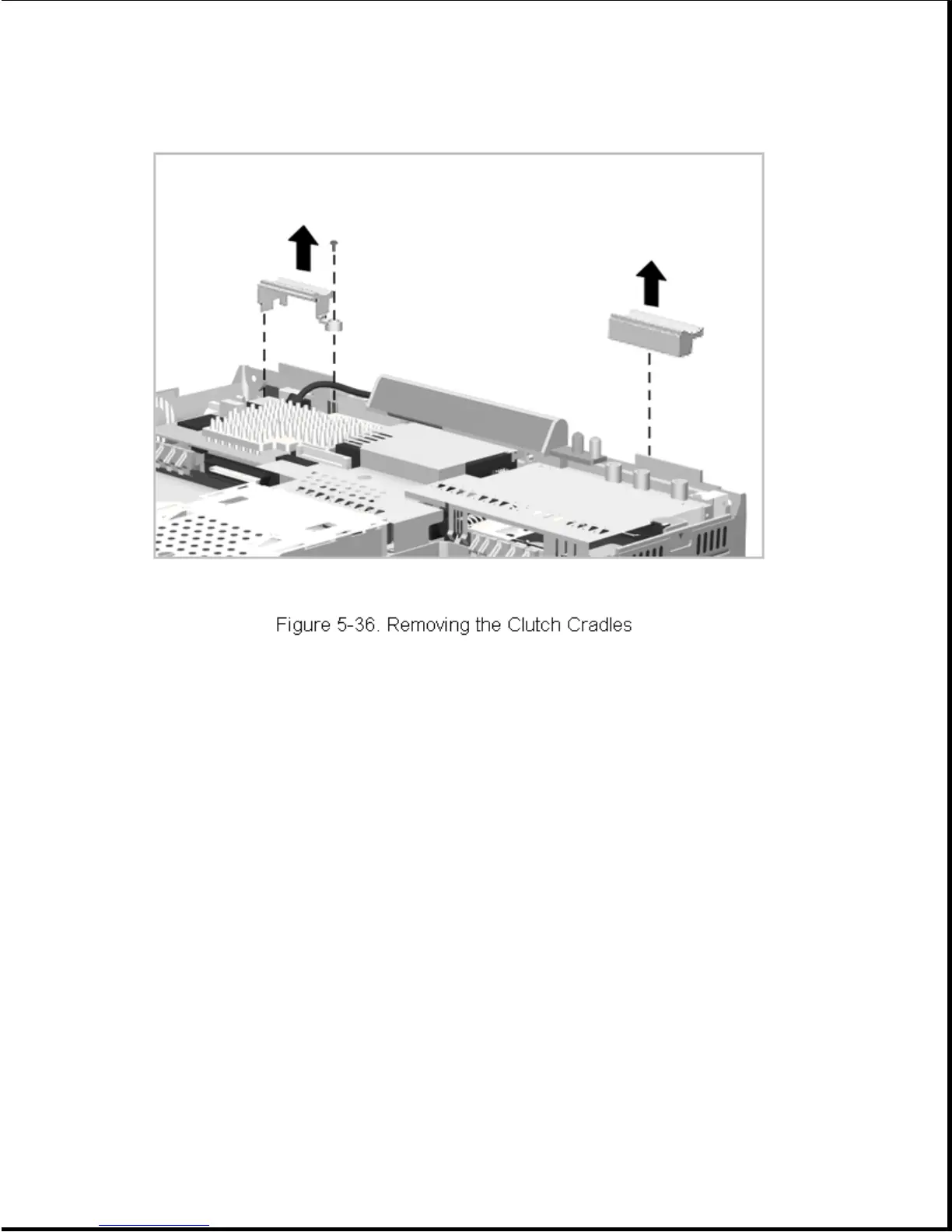
3. Lift the right cradle out of the computer (Figure 5-36).
Reverse the above procedure to install the clutch cradles.
Chapter 5.9 Keyboard Assembly
Maintenance of the keyboard assembly includes removal and replacement of
the following:
o Keyboard assembly
o EasyPoint II controller
o Battery eject mechanism
o MultiBay device eject mechanism
o Hard drive latch
5.9.1 Removing and Installing the Keyboard
To remove the keyboard, complete the following steps:



 To Next Page