Hayetsira St. 17, Yokneam, Israel
Tel: +972-48-290-168 | Fax: +972-48-325-251 | www.fit-iot.com
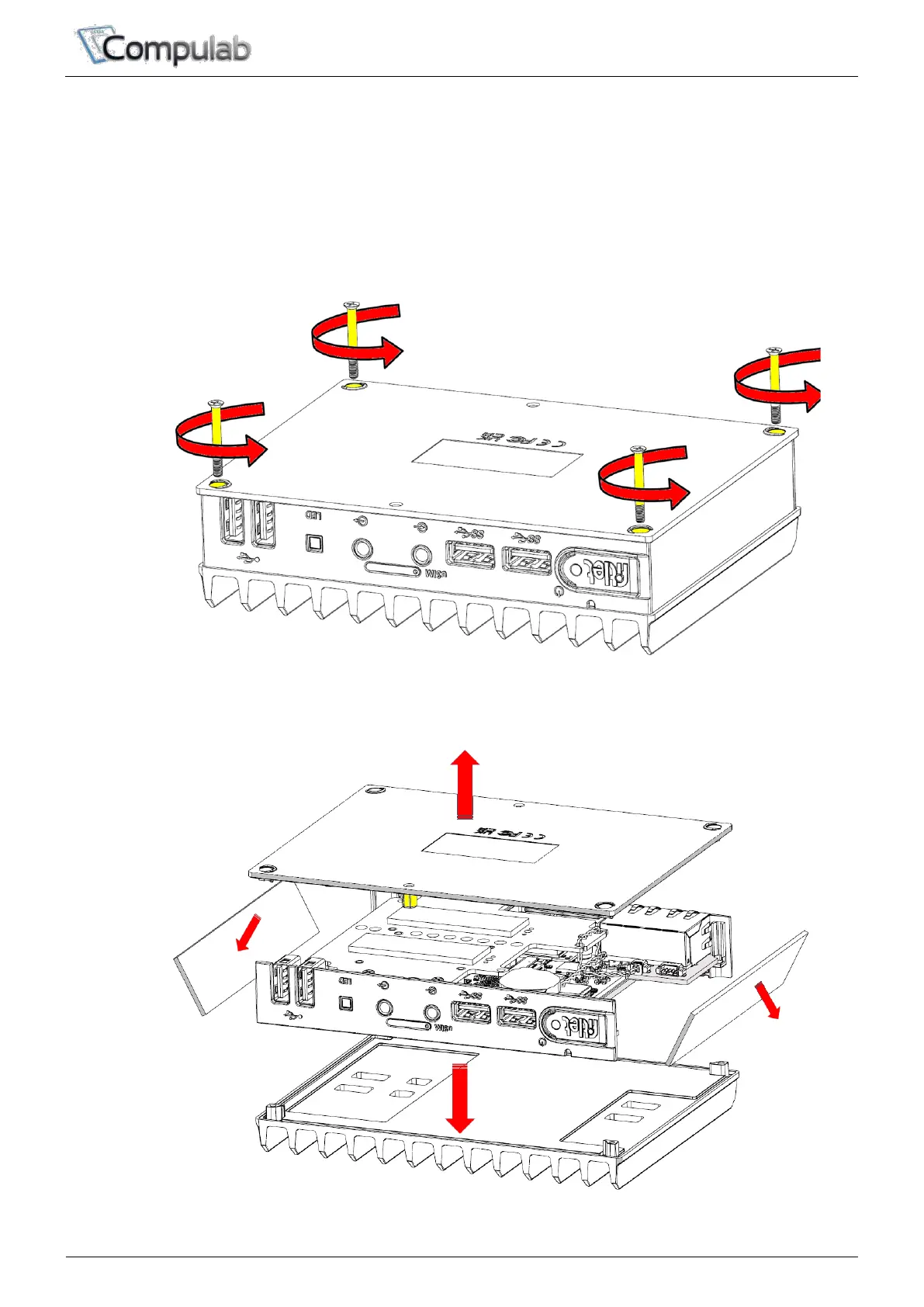
Opening fitlet3
You will need to open fitlet3 in order to install RAM, storage and RTC battery.
Required tool: Phillips screwdriver.
To open fitlet3 please follow these steps:
1. Place fitlet3 on a flat surface bottom-up.
2. Open the four screws using the Phillips screwdriver (counter clock-wise).
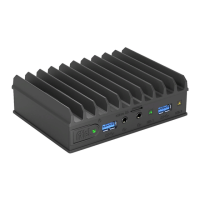
3. Lift the bottom cover to remove it. Side panels should fall-off.
4. Lift fitlet3 from the top cover


 To Next Page