Hayetsira St. 17, Yokneam, Israel
Tel: +972-48-290-168 | Fax: +972-48-325-251 | www.fit-iot.com
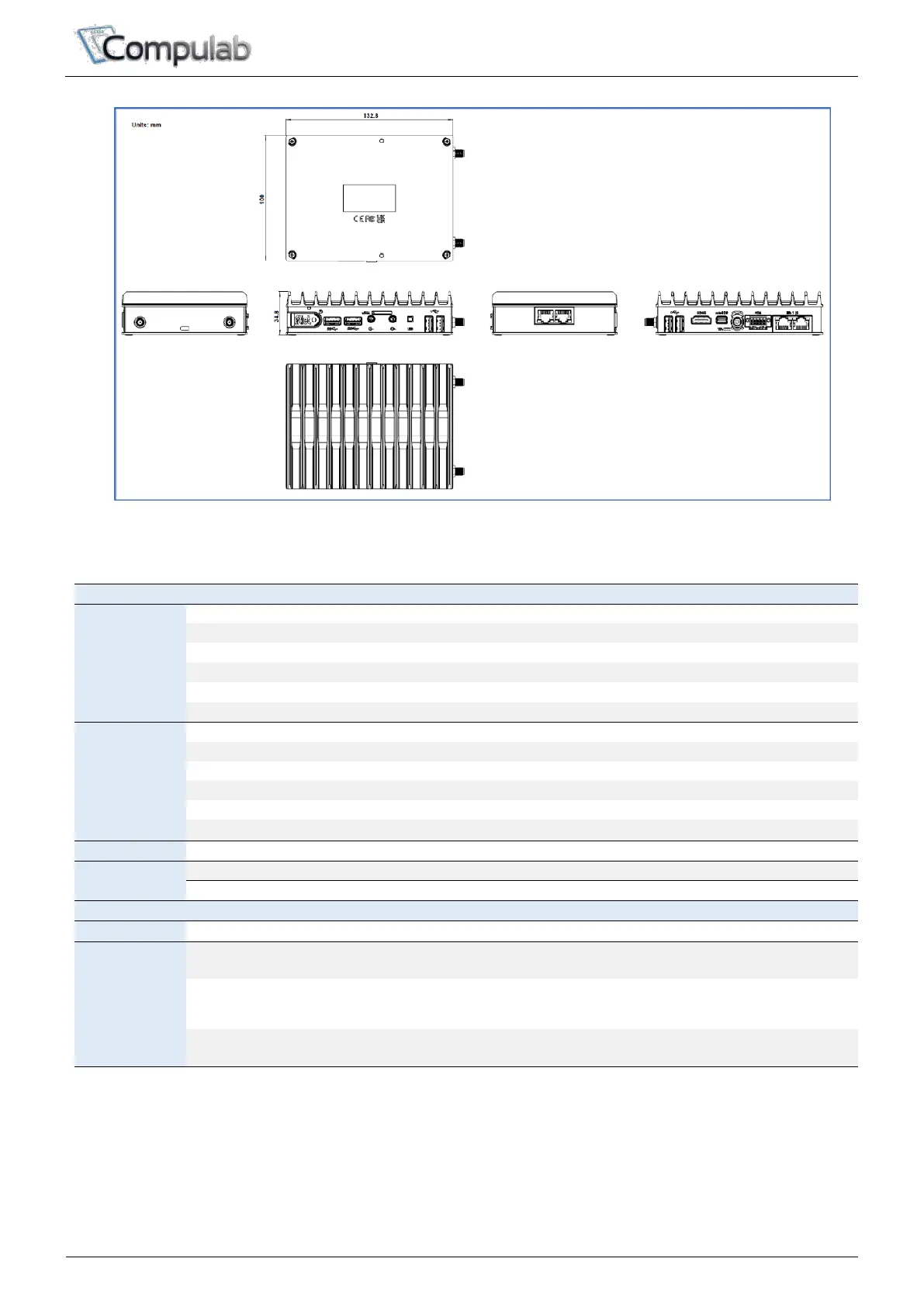
Dimensions
Interfaces
HDMI 1.4b (up to 3840 x 2160 @ 30Hz)
DP 1.2 (up to 4096 x 2160 @ 60Hz) Dual mode
1x terminal block (Optional)
Isolated RS-232/422/485 + 2x GPI + 2x GPO
2x 10/100/1000 Mbps Ethernet
On/Off push button w/ power LED
2x 3.5 mm jacks (Optional)
Analog output, analog input audio
Micro-SIM Tray for M.2 LTE/5G modem
2x SMA antennas for Wi-Fi/BT or cellular modem
FACET card connectors (Optional)
Ethernet, serial, etc. from FACET expansion card
2x SMA antennas for Wi-Fi/BT or cellular modem
M.2 up to 2280 or
Optional 2.5” SATA storage
1
- NVMe/SATA storage
- M.2 PCIe x1x HDMI
M.2 Up to 3060 or
Optional 2.5” SATA storage
1
PCIe Gen 3 x1 /SATA
USB 2.0
- LTE/5G modem
- SATA storage
M.2 2230 or
FACET expansion card
2
- Wi-Fi/BT module
- FACET card
Notes:
1. Up to 1 unit of 2.5” SATA storage expansion (EB-M2SATA) is possible
2. FACET expansion card and Wi-Fi/BT card are mutually exclusive. For Wi-Fi/BT on systems with FACET cards,
on-board Wi-Fi/BT module bust be selected.


 To Next Page