35
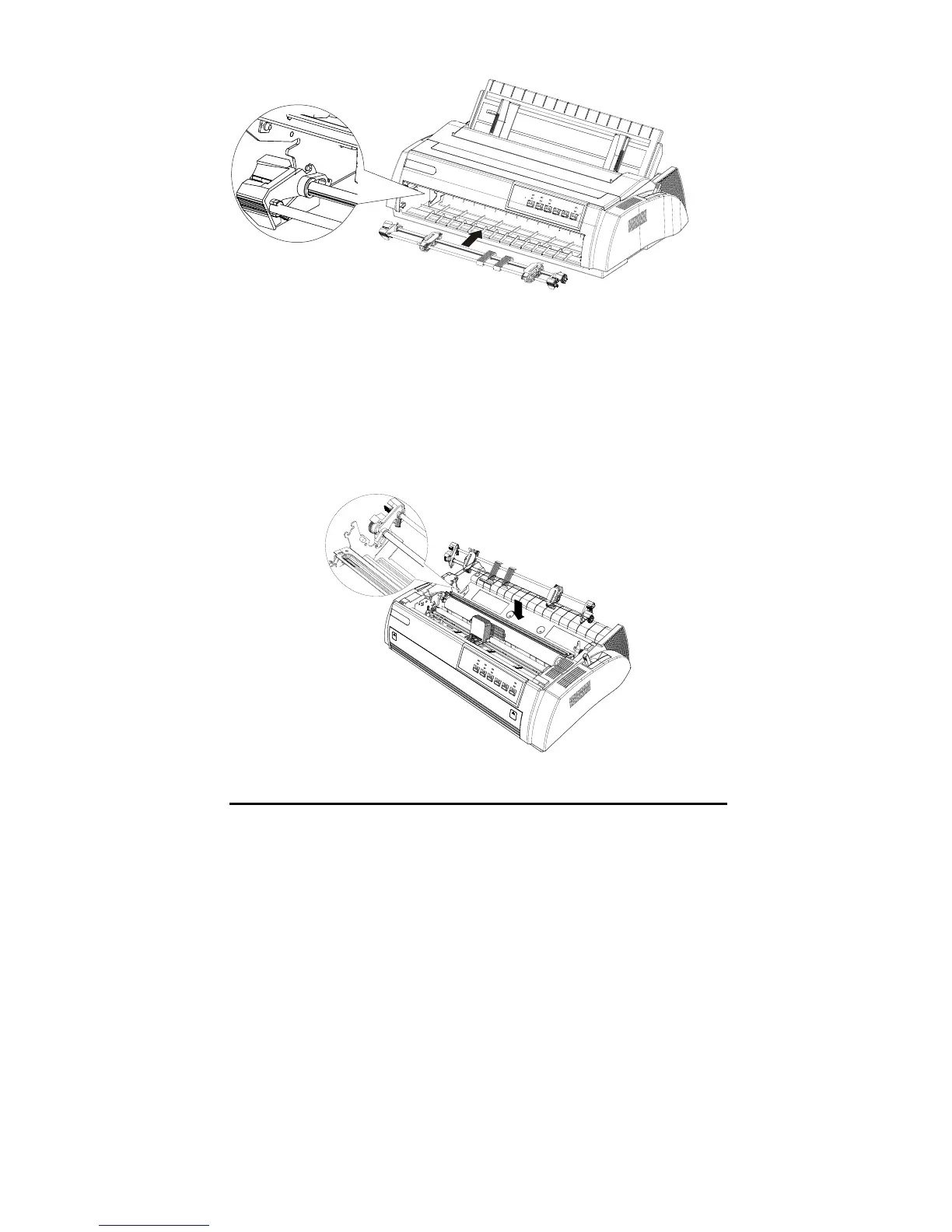
Release the tractor by pressing the tractor lock tabs and pushing the tractor
forward, then lifting it up.
Set the rear push tractor
1. Make sure the printer is powered off. Lift the tractor and remove it from the
printer.
2. Hold the tractor lock tabs, and lay down the tractor into the mounting slot
of the printer.
Release the tractor by pressing the tractor lock tabs, pushing the tractor
backward and removing the tractor away from the printer.



 To Next Page