36
Set pull tractor
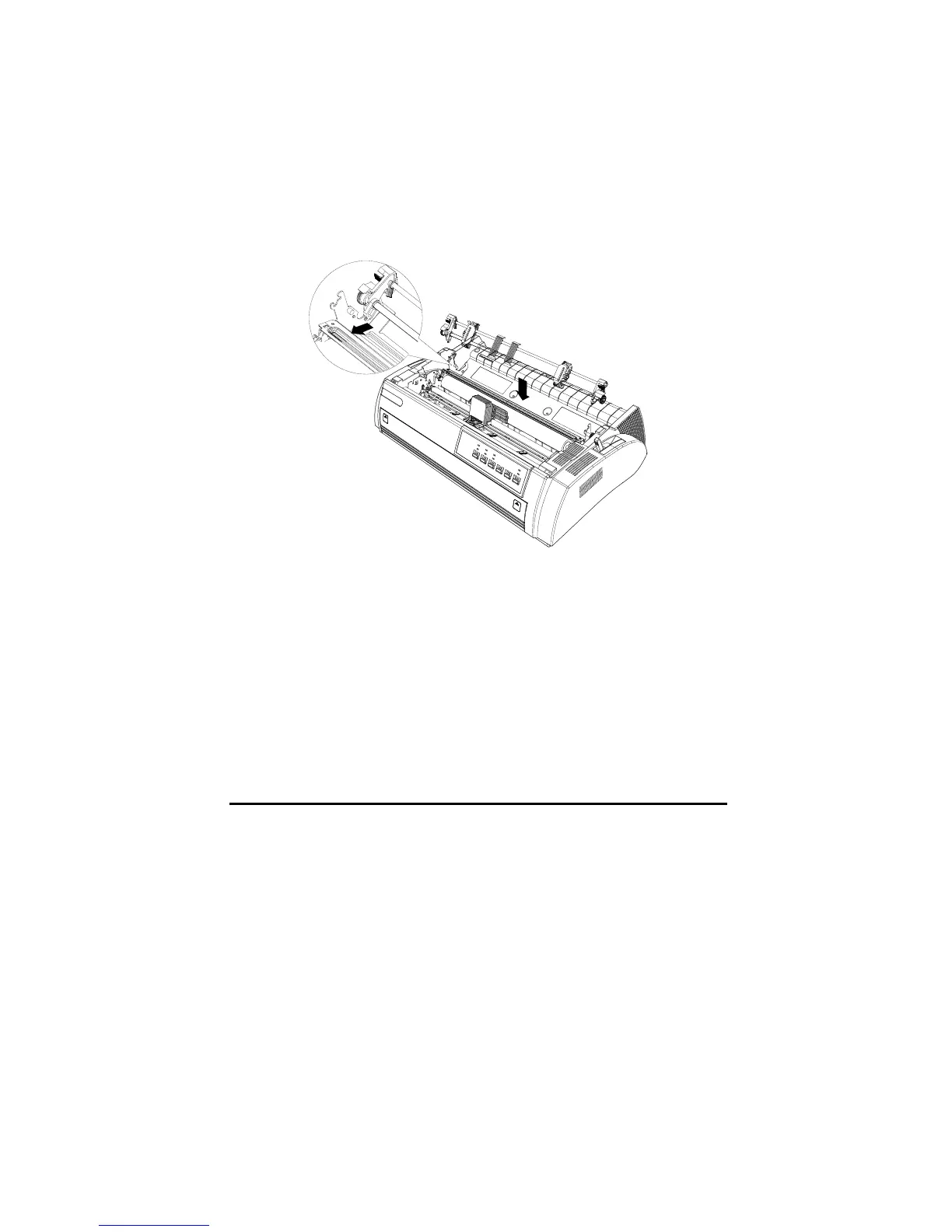
1. Make sure the printer is powered off, and remove the printer cover and paper
guide. Then remove paper tension unit by grasping both sides and lifting it up.
2. Press the tractor lock tabs, and lay down the tractor into the mounting slot.
See the picture below.
3. Remove the tractor by pressing tractor lock tabs, pushing the tractor
backward, and lifting it away from the printer.
Load continuous paper with the front push tractor
1. Make sure the printer is powered off. Open the cover of the front paper load
location and remove the front paper guide.



 To Next Page