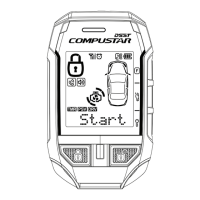
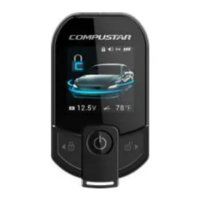
2. II - 2 sec Auto-start Function - on/off
3. III - 2 sec Trunk Release – on/off
4. IV Query Function
5. (I+III) Valet Mode – on/off
6. (II+III) Passive Locking – on/off
7. (II+IV) Timer Start Mode - on/off
8. (III+IV) Turbo Mode – On/Off
9. (I+II) - 2 sec Programming Menu 1 – Installer
Only
10. (I+IV) - 2 sec Programming Menu 2 – Installer
Only
Note: ( ) means simultaneously pressing the buttons
Remote Learn Routine Remote Learn Routine
If you replace or add additional remotes, you can program up to three remotes,
please perform the following procedure:
Step 1: Activate Valet/Programming mode by manually turning the ignition on
and off five times (between Acc and On) with car key within a 10 second
period. The parking light will flash once with successful completion of this step.
Step 2: Within a 10 second period after cycling the ignition for the 5
th
time,
press button I. The car parking lights will flash once to confirm that the
transmitter has been programmed. Continue program the additional remotes.
The parking lights will flash two times when the programming mode is expired.
Keyless EntreeKeyless Entree
You can lock or unlock by pressing Button I for a ½ second.



 To Next Page